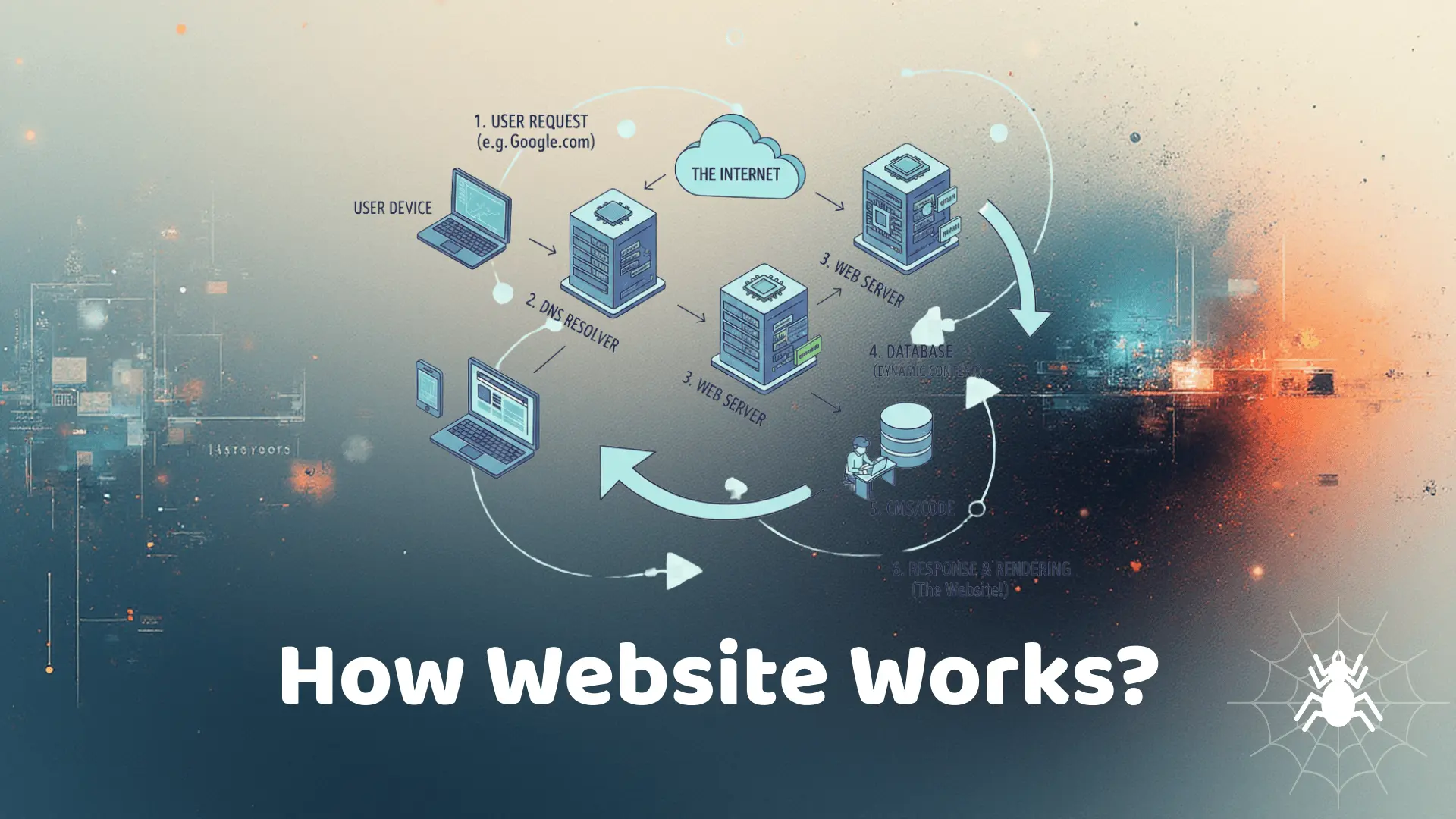
Have you ever wondered what happens behind the scenes when you type a website address in your browser and hit enter? Websites might seem simple on the surface, but a lot is happening in the background to deliver content seamlessly. This article will guide you through the entire process, from registering a domain to the moment the website appears in your browser, in a simple and comprehensive manner.
1. Understanding Domains
A domain is the human-readable address of a website, such as www.example.com. Without domains, we would have to remember numeric IP addresses like 192.168.1.1, which is impossible for everyday use.
Domain Registration
To create a website, you first need a domain name. Domains are registered through registrars, accredited organizations that manage the reservation of domain names. You choose an available name and pay a registration fee, typically yearly.
Domain Structure
A domain has several parts:
- Top-Level Domain (TLD): The ending, such as .com, .org, .net, .edu.
- Second-Level Domain: The main name you choose, e.g., “example” in www.example.com.
- Subdomain: Optional prefix like blog.example.com or shop.example.com.
2. Hosting and Servers
After registering a domain, the website needs a place to live. This is where hosting comes in. A web host provides the physical or cloud server that stores your website files and serves them to visitors.
Types of Hosting
- Shared Hosting: Multiple websites share the same server resources. Affordable but limited performance.
- VPS Hosting: Virtual Private Server provides dedicated resources within a shared server.
- Dedicated Hosting: A full server dedicated to your website. Best for large traffic.
- Cloud Hosting: Websites are hosted on a network of servers. Scalable and reliable.
Server Function
Servers are computers that respond to requests from clients (your browser). They host your files including HTML, CSS, JavaScript, images, and databases. When someone visits your website, the server sends these files to their browser.
3. DNS: Translating Domains to IP Addresses
The Domain Name System (DNS) acts like the internet’s phonebook. When you enter a domain, DNS translates it into an IP address, which your computer uses to find the correct server.
How DNS Works
1. You type a website into the browser.
2. Your device queries a DNS resolver.
3. The resolver checks root and TLD servers for the domain’s IP.
4. Once the IP is found, your browser can connect to the server.
DNS Propagation
When a domain is new or its settings are changed, it takes time for these changes to propagate across global DNS servers, which can take a few minutes to 48 hours.
4. Browser Requests and HTTP/HTTPS
Once the browser knows the server IP, it sends a request using HTTP (Hypertext Transfer Protocol) or HTTPS (secure version). HTTPS ensures data is encrypted and secure.
Client-Server Model
The browser is the client, sending requests. The server responds with the requested resources, such as HTML, CSS, and JavaScript files.
HTTP Request Process
- Browser sends request headers including method (GET, POST), cookies, and user-agent info.
- Server processes the request.
- Server responds with status code and requested files.
5. Rendering Websites in the Browser
Once files reach the browser, the browser parses them to render the website. This process includes:
- HTML Parsing: Builds the Document Object Model (DOM).
- CSS Parsing: Builds the CSSOM and computes styles.
- JavaScript Execution: Runs scripts that can modify DOM dynamically.
- Layout and Painting: Computes positions and paints elements on the screen.
- Compositing: Combines layers and displays the final page.
Browser Engines
Different browsers use different engines (Chrome uses Blink, Firefox uses Gecko) to process these files and render websites efficiently.
6. Databases and Dynamic Content
Many websites are not static. Dynamic websites rely on databases (like MySQL, MongoDB) to fetch and display data. For example, when you log in to Facebook, the server queries the database to display your feed.
Server-Side Processing
Languages like PHP, Node.js, Python, or Java handle server-side logic, fetching data from databases and generating HTML for the browser.
7. Caching and Performance
Websites use caching to improve speed. Caching stores frequently accessed files closer to users via:
- Browser cache
- Content Delivery Networks (CDN)
- Server-side cache
8. Security Considerations
Websites must protect users’ data using encryption (HTTPS), firewalls, and secure coding practices. Vulnerabilities like SQL injection or XSS can compromise websites if not handled properly.
9. Mobile Optimization
With most users accessing websites on phones, responsive design ensures the website adapts to different screen sizes and devices. Techniques include flexible grids, media queries, and mobile-friendly navigation.
10. Summary
Creating a website is more than just typing a URL. From registering a domain, hosting files on a server, translating the domain to an IP via DNS, sending HTTP requests, rendering content in the browser, to optimizing for performance and security, each step is crucial. Understanding this workflow helps developers build better websites and helps users appreciate the complexity behind the simple act of visiting a site.
Conclusion
Websites work through a complex but fascinating process. Domains, servers, DNS, HTTP/HTTPS, databases, and browser rendering all play critical roles. By understanding how websites function from domain to browser, you can better navigate, create, and troubleshoot web experiences.