The internet is one of the most transformative inventions of modern times. It connects billions of devices, allows information to flow instantly across the globe, and powers everything from social media and online shopping to banking and education. Despite its ubiquitous presence, many people don’t understand how the internet actually works. This article breaks it down in simple terms, explaining the infrastructure, data flow, key protocols, and essential concepts behind this remarkable network.
The Basics of the Internet
At its core, the internet is a global network of interconnected computers and devices that communicate with each other. Every time you send an email, browse a website, or stream a video, your device is communicating with other devices over this network.
To understand this, imagine the internet as a massive postal system. Your message (data) is packaged, addressed, and routed through different offices (servers and routers) until it reaches its destination.
Clients and Servers
The internet is structured around two main types of devices: clients and servers.
- Clients: These are your devices, like computers, smartphones, or tablets, that request data from the internet.
- Servers: These are powerful computers that store websites, apps, and other resources and respond to client requests.
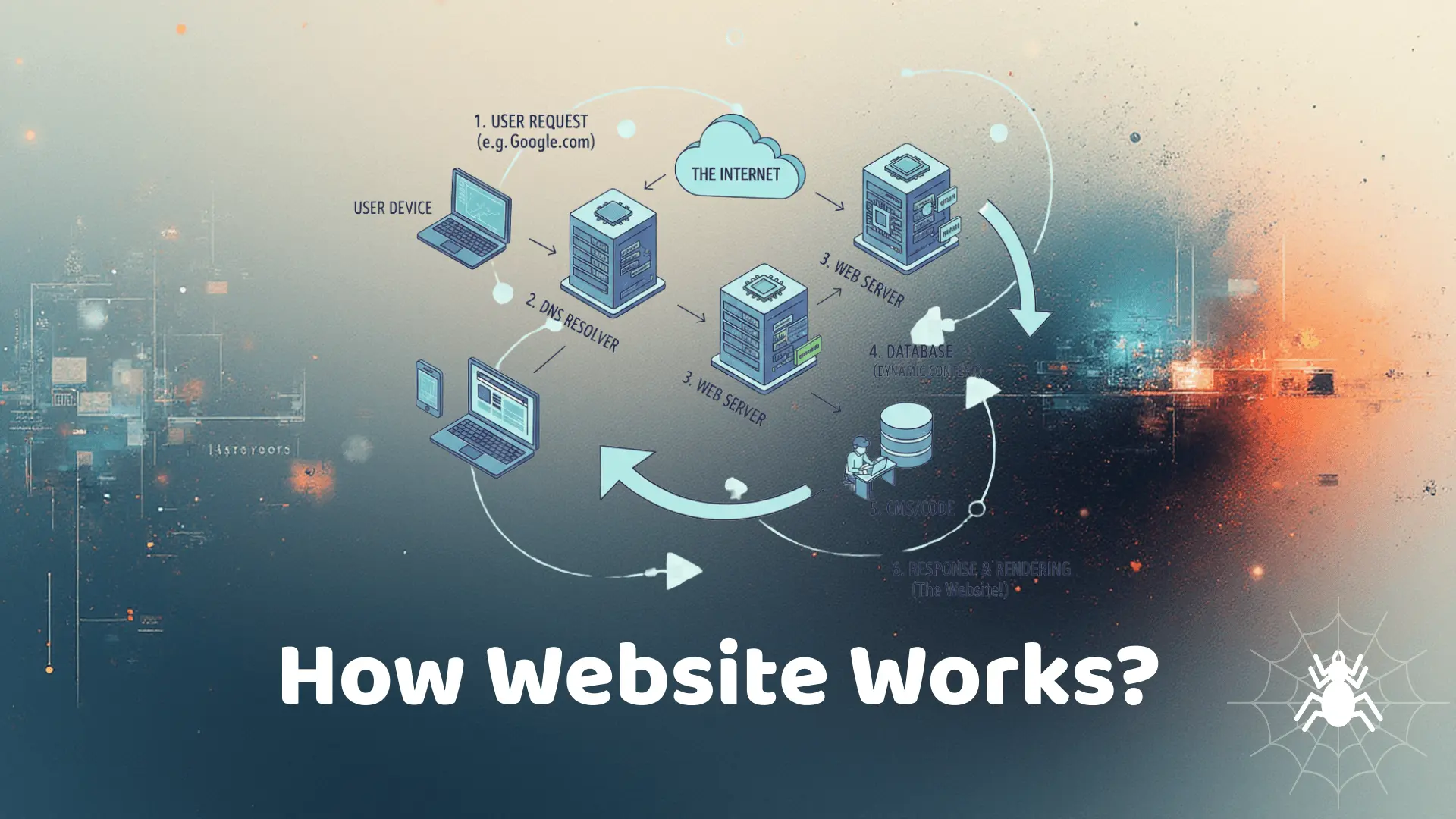
For example, when you open a website, your browser (client) sends a request to the server where the website is hosted. The server processes this request and sends the website data back to your browser.
How Data Travels on the Internet
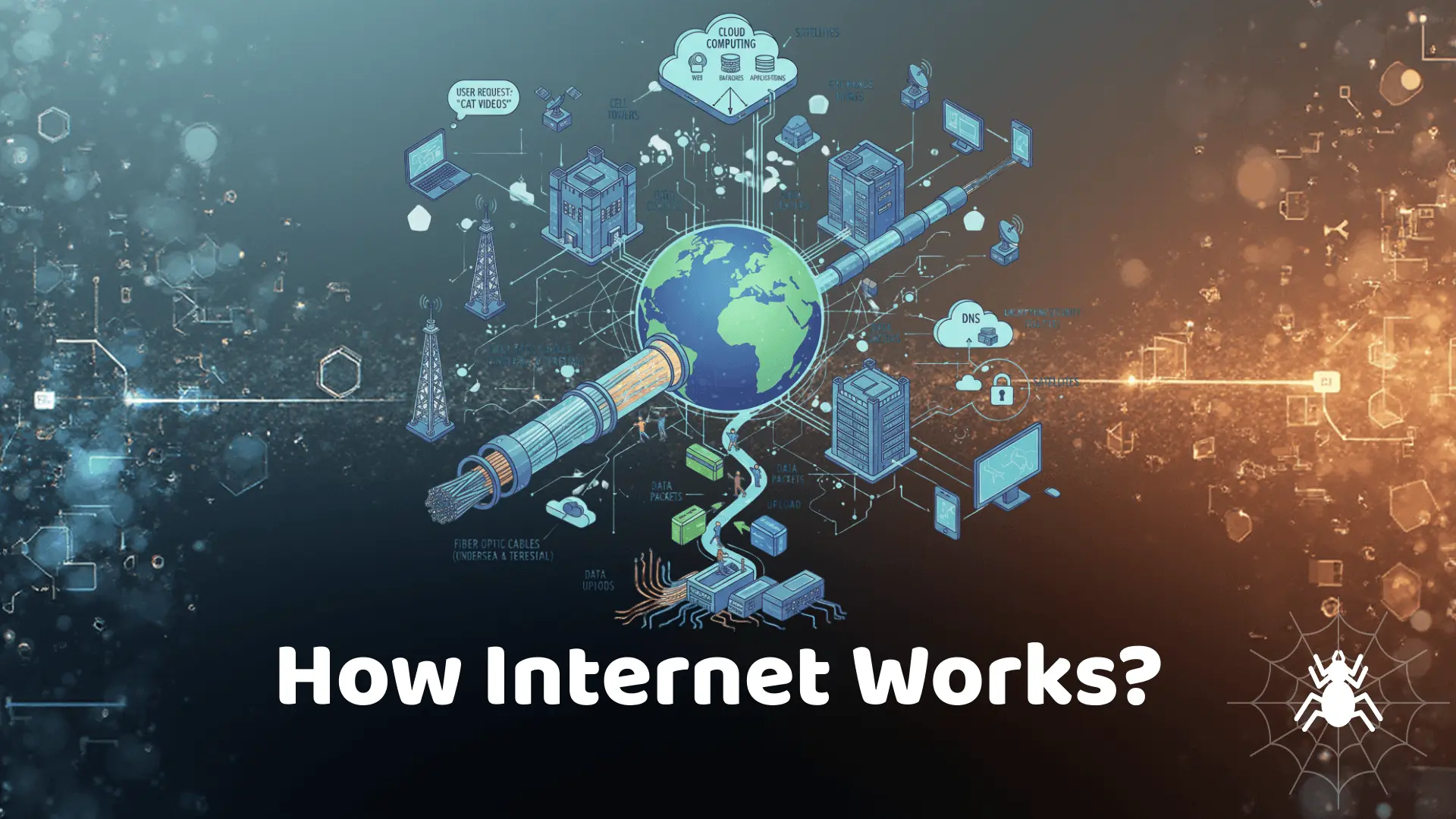
Everything you do online involves data being broken into small units called packets. These packets travel across networks using a variety of routes before reassembling at their destination.
Data Packets and Routing
Packets are like envelopes containing pieces of your message or file. Each packet contains the sender’s and receiver’s addresses, the data itself, and sequencing information to ensure correct reassembly.
Routers act as traffic directors, deciding the fastest and most efficient path for each packet. These paths can cross multiple countries and oceans, sometimes traveling thousands of miles in milliseconds.
Undersea Cables and Global Infrastructure
Most international data travels through undersea fiber-optic cables. These cables, stretching across oceans, connect continents and carry terabytes of data every second. In addition, satellites and wireless networks help reach remote areas.
Understanding IP Addresses and DNS
Every device connected to the internet has an IP (Internet Protocol) address, a unique identifier like a phone number for your device. But remembering IP addresses would be impossible, so the Domain Name System (DNS) translates human-readable domain names like www.example.com into IP addresses that computers understand.
How DNS Works
When you type a website into your browser, your device queries a DNS server to find the corresponding IP address. Once it receives the IP, it can connect to the server and load the website.
Internet Protocols
Protocols are rules that govern how data is transmitted over the internet. Some key protocols include:
- HTTP/HTTPS: For loading websites securely.
- TCP/IP: Ensures packets are sent and received correctly.
- FTP: For transferring files between devices.
- SMTP: For sending emails.
Websites and How They Work
Websites are built using a combination of HTML, CSS, and JavaScript. When you visit a website, your browser requests these files from the server. The server responds, and the browser renders the website so you can interact with it.
Front-End vs Back-End
- Front-End: What users see and interact with (web pages, buttons, forms).
- Back-End: Server-side processes that store data, manage user accounts, and handle requests.
Streaming, Cloud, and Online Services
Streaming videos, cloud storage, and online apps rely on fast, reliable data transfer. Services like Netflix or Google Drive store data on cloud servers. When you access these services, data is streamed or downloaded in real time.
Content Delivery Networks (CDNs)
CDNs are networks of servers distributed globally. They store copies of popular websites or files closer to users, reducing load times and improving reliability.
Security and Encryption
Security is critical on the internet. Encryption protects data so it can’t be read if intercepted. HTTPS websites encrypt communications between your browser and the server, keeping sensitive information safe.
Common Threats
- Phishing: Trick users into revealing personal information.
- Malware: Malicious software that damages devices or steals data.
- Data breaches: Unauthorized access to private data stored on servers.
Wireless Internet and Mobile Networks
Wi-Fi, 4G, and 5G networks allow devices to connect without wires. Wireless signals transmit data through radio waves to nearby routers or cell towers, which then connect to the internet.
The Internet of Things (IoT)
IoT refers to everyday devices connected to the internet, such as smart thermostats, refrigerators, or security cameras. These devices communicate, collect data, and automate tasks, making life more convenient but also raising security concerns.
Internet Governance and Net Neutrality
The internet is not controlled by a single entity. Organizations like ICANN and IETF set standards, while governments regulate usage. Net neutrality ensures that all data is treated equally, preventing ISPs from prioritizing certain content.
Common Misconceptions
Some people think the internet is a physical place. In reality, it’s a virtual network built on hardware and software infrastructure. Others believe Wi-Fi is the internet itself. It’s just one way to access it.
Future of the Internet
Emerging technologies like AI, 6G, and quantum computing promise faster, smarter, and more secure internet experiences. Understanding how the internet works today will prepare you for the innovations of tomorrow.
Conclusion
The internet is a complex, yet fascinating system connecting billions worldwide. From data packets and undersea cables to servers and protocols, every component plays a vital role. By understanding these basics, you can navigate, troubleshoot, and utilize the internet more effectively and safely.