
Invoice Manager - Inventory and Billing App for Distributors

An offline-first tablet app that lets a distributor's sales reps take orders, check stock and print invoices at the retailer's counter, with or without signal. Stock is checked as the order is built, every invoice takes the next number in sequence and keeps it through sync, the PDF prints over Bluetooth before the rep leaves, and a filter shows which shops still owe money. It moved real stock and printed real invoices in the field.

Md Moniruzzaman

The Full Story
Distribution runs on the shop counter, not the office. This is the app that lets the paperwork happen there.
The order is taken at the counter
A distributor's sales rep visits shop after shop and takes the order standing at the counter. Too often it went on paper, to be typed up later at the office. Signal drops in back rooms and markets, the stock count drifts between the van and the warehouse, and an invoice entered twice or numbered wrongly becomes an argument with a retailer the distributor needs to keep.
The client wanted the whole transaction to happen at the counter and to be right the first time: the order, the stock it moves, the invoice and the payment, on a tablet that works whether or not it has a connection.
The whole catalogue in the rep's hands
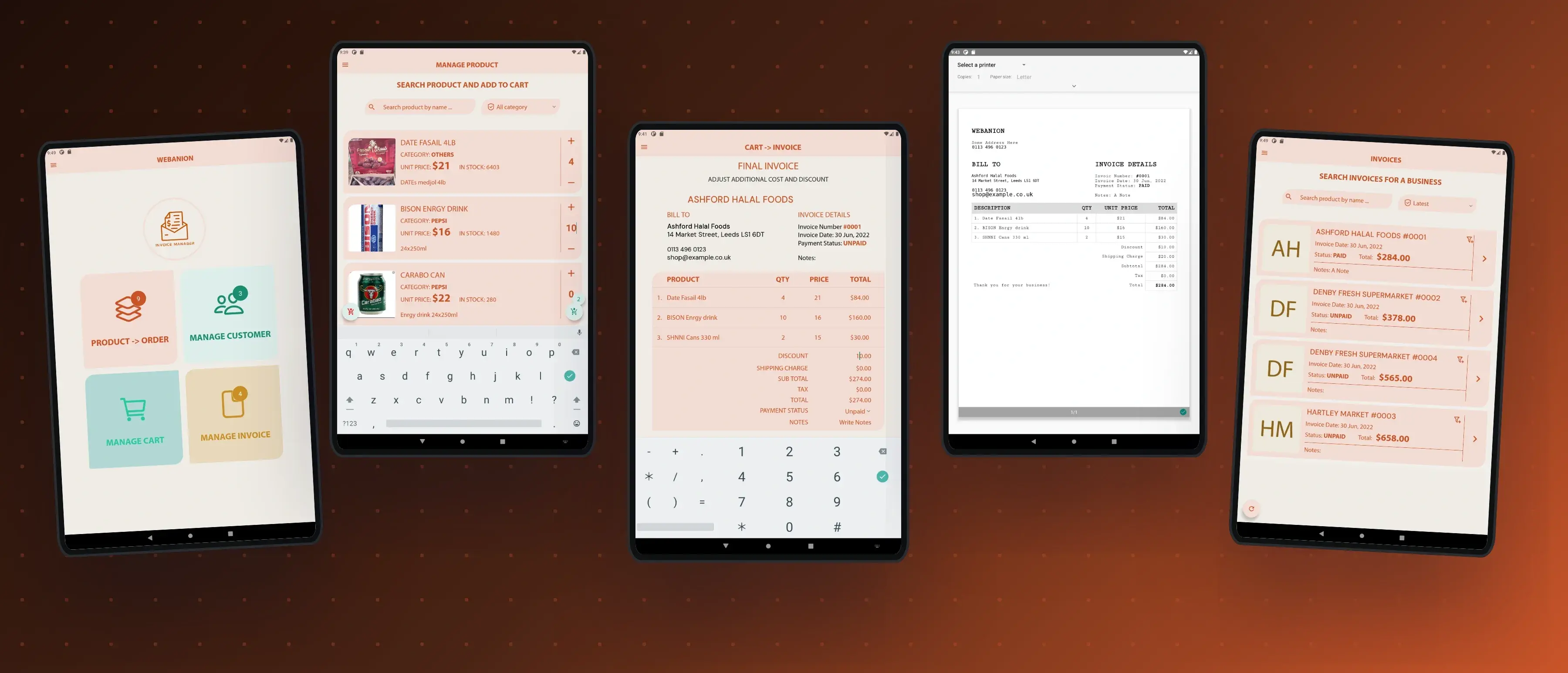
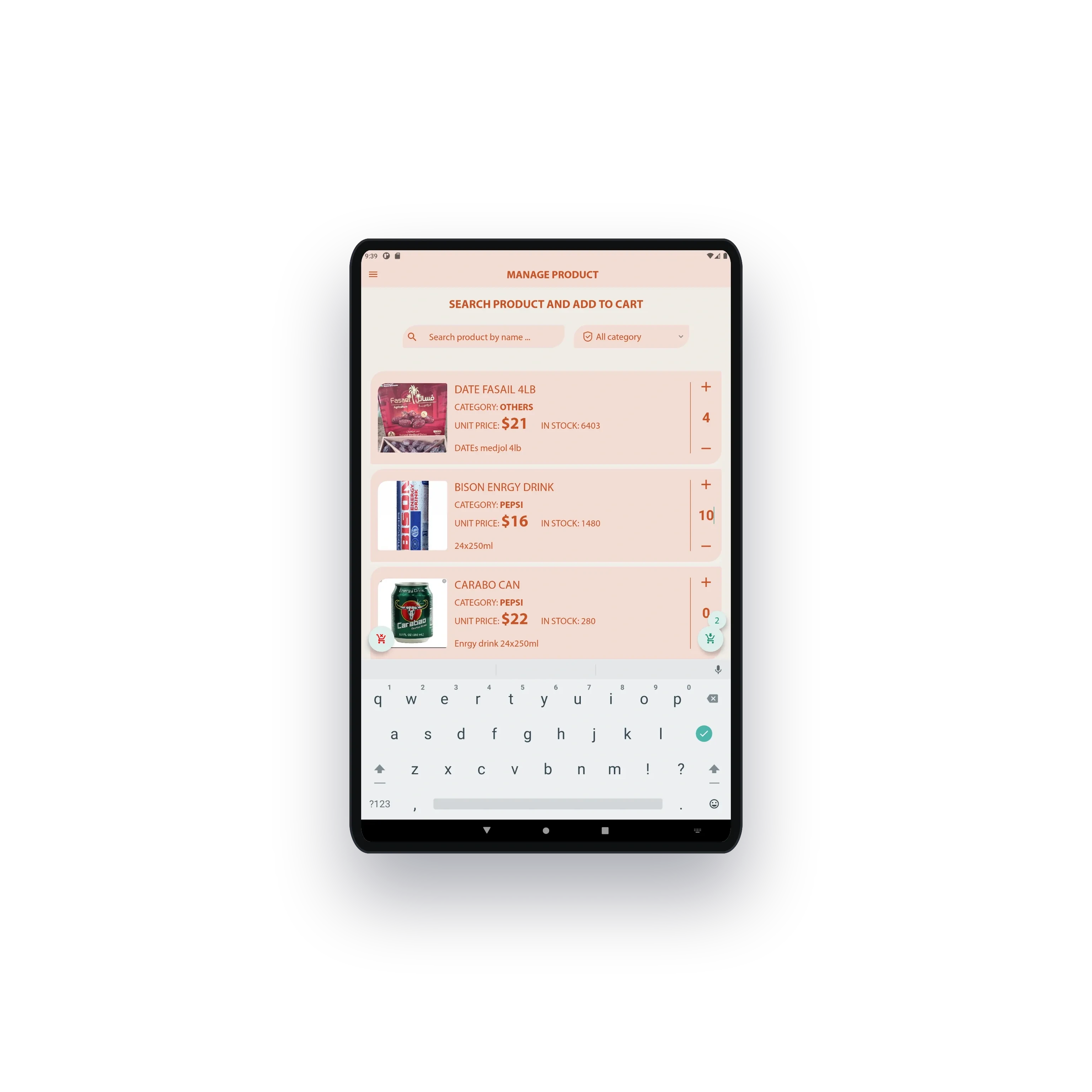
The tablet opens on four doors, products to order, customers, the cart and invoices, with a count on each so the rep knows where the day stands. The catalogue carries every product with its photo, category and the stock left, searchable by name and filtered by category.
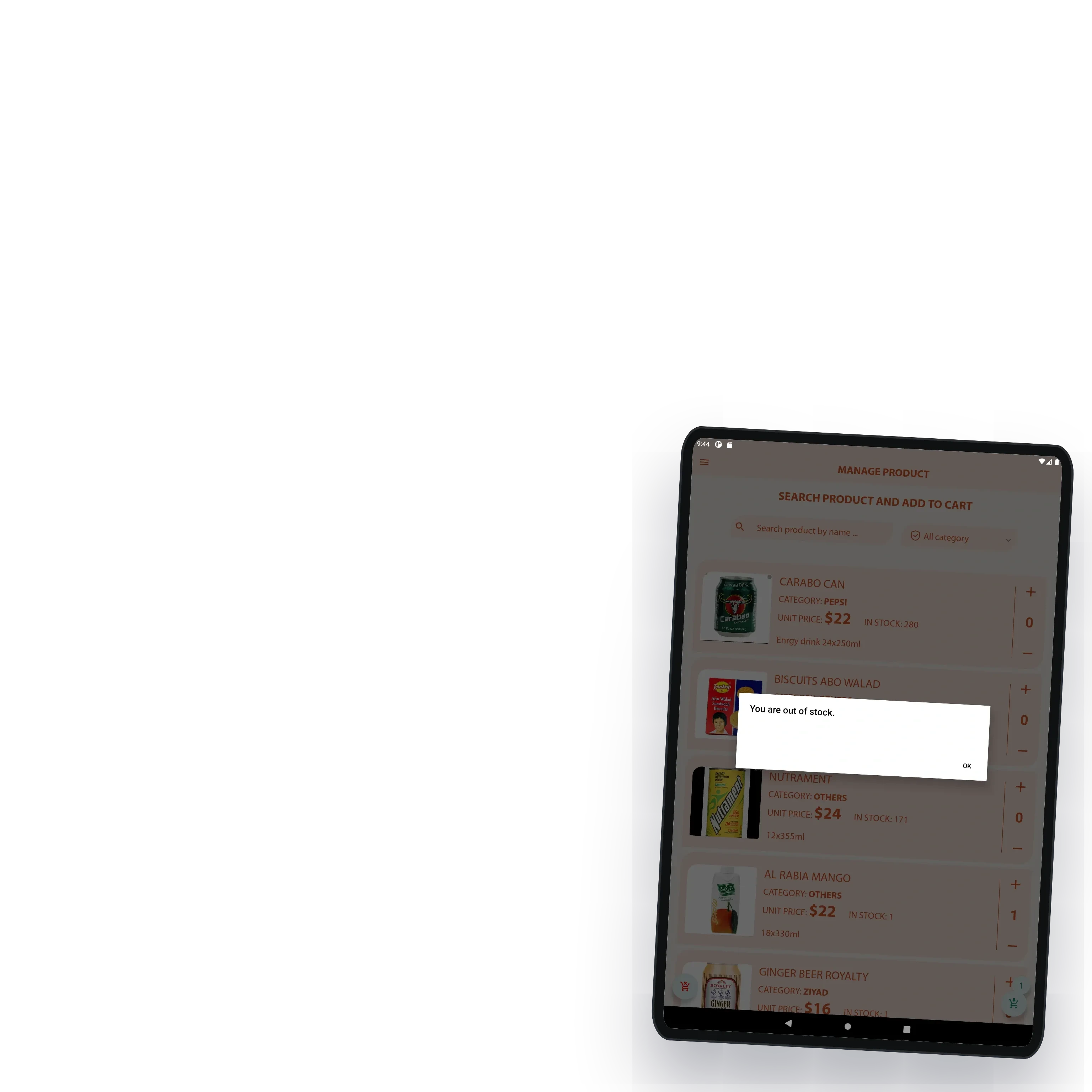
Stock is checked as the order is built. When a shop asks for more than is left, the app says so before the order is placed, so the rep never promises goods that are not there and the retailer never waits for a delivery that cannot come.


From cart to invoice in three steps
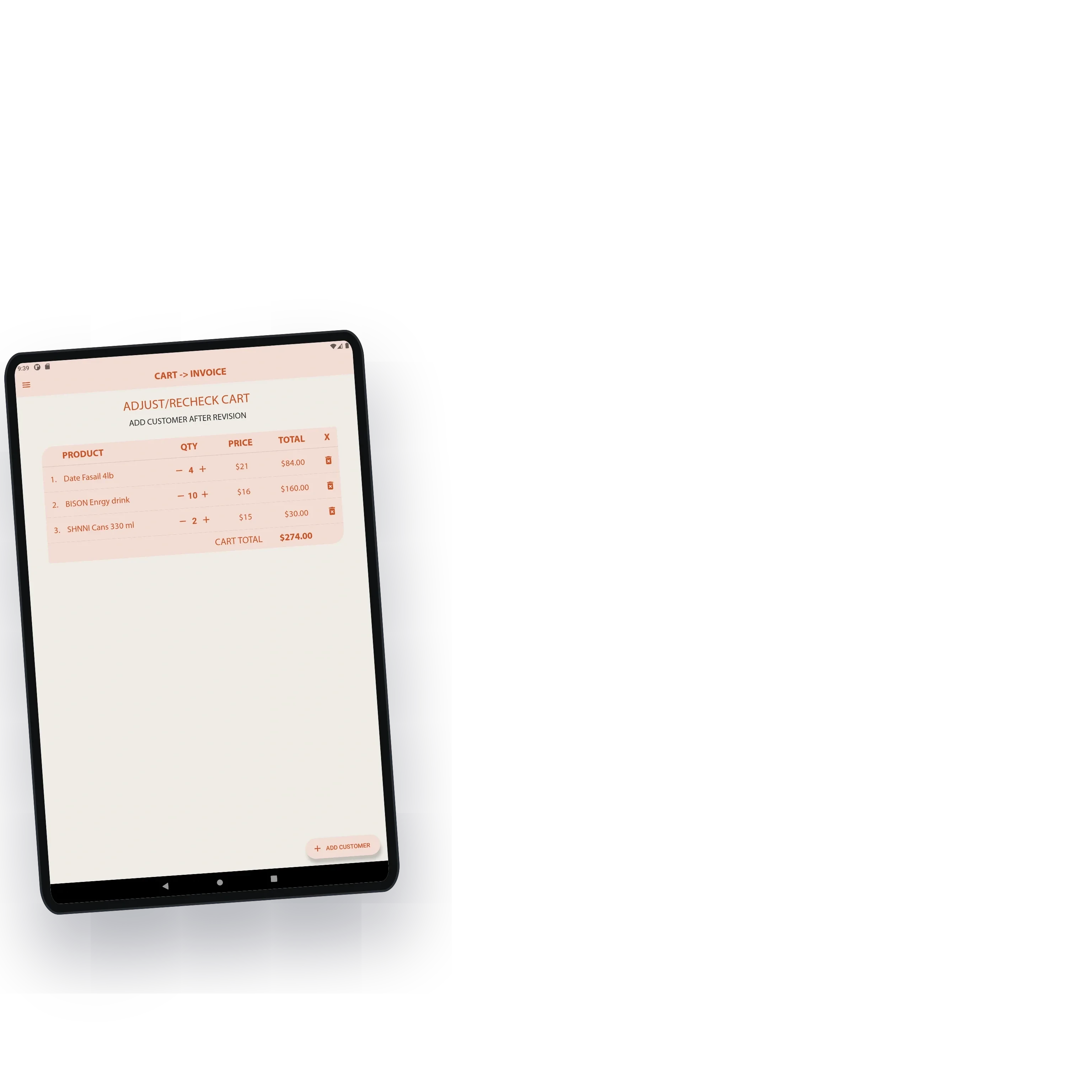
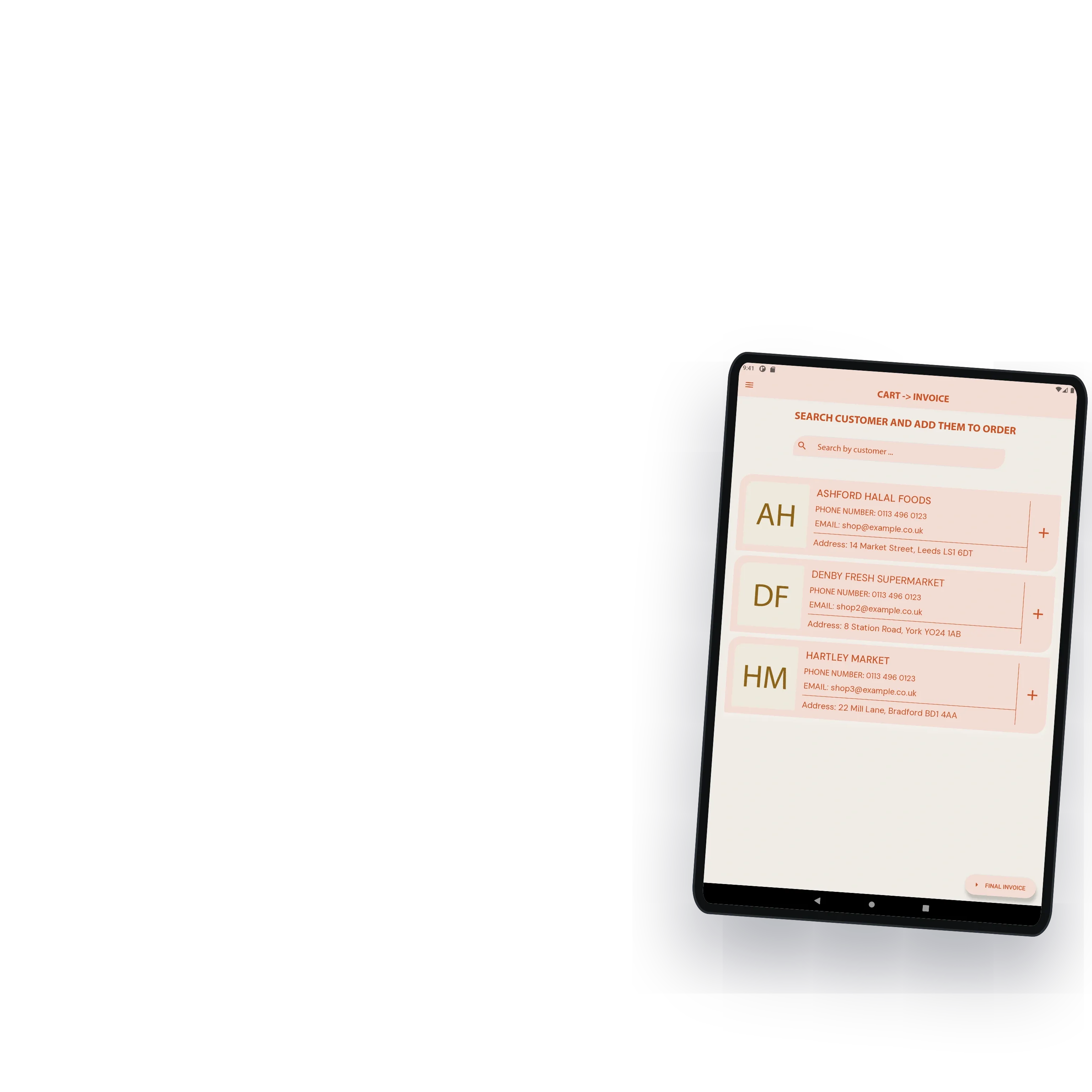
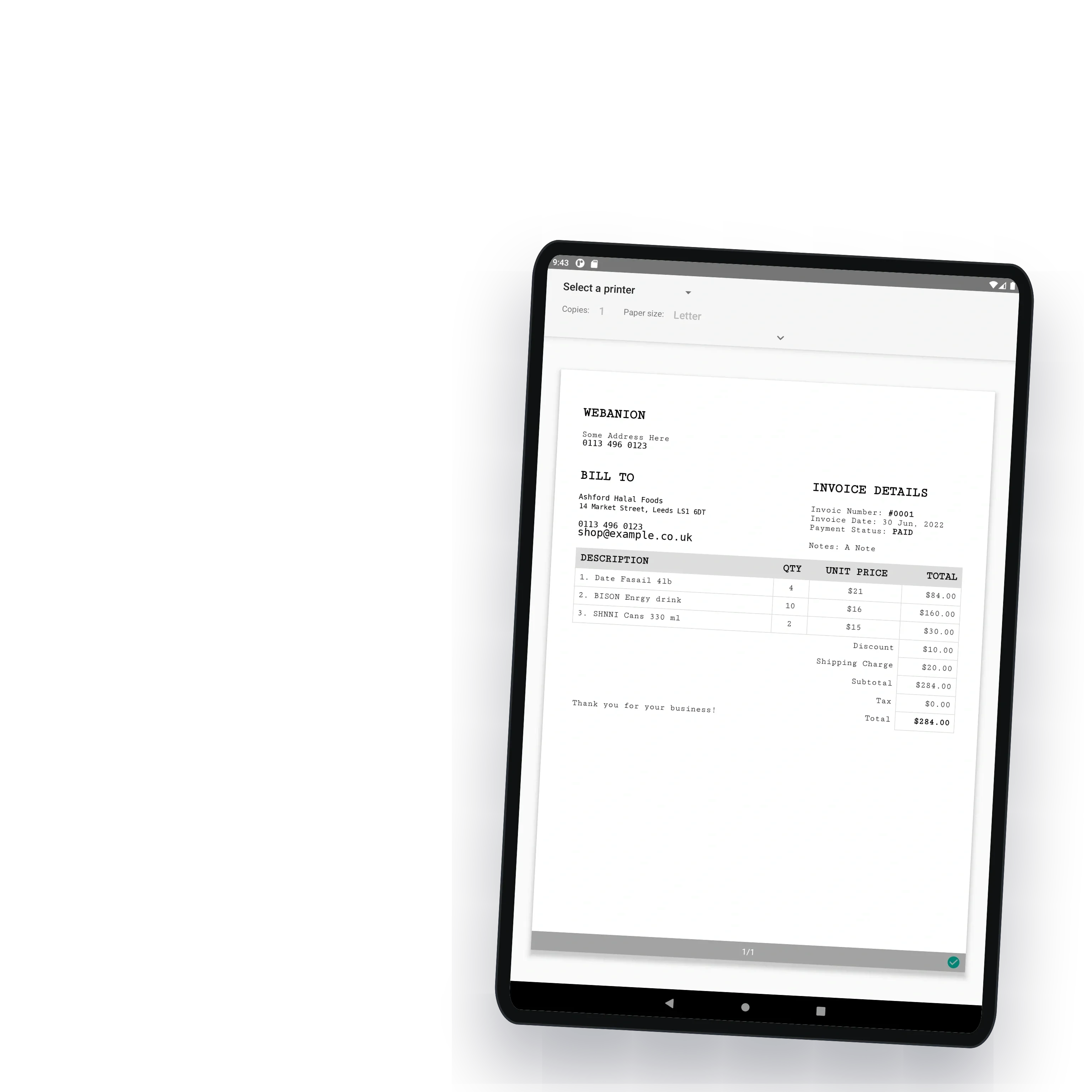
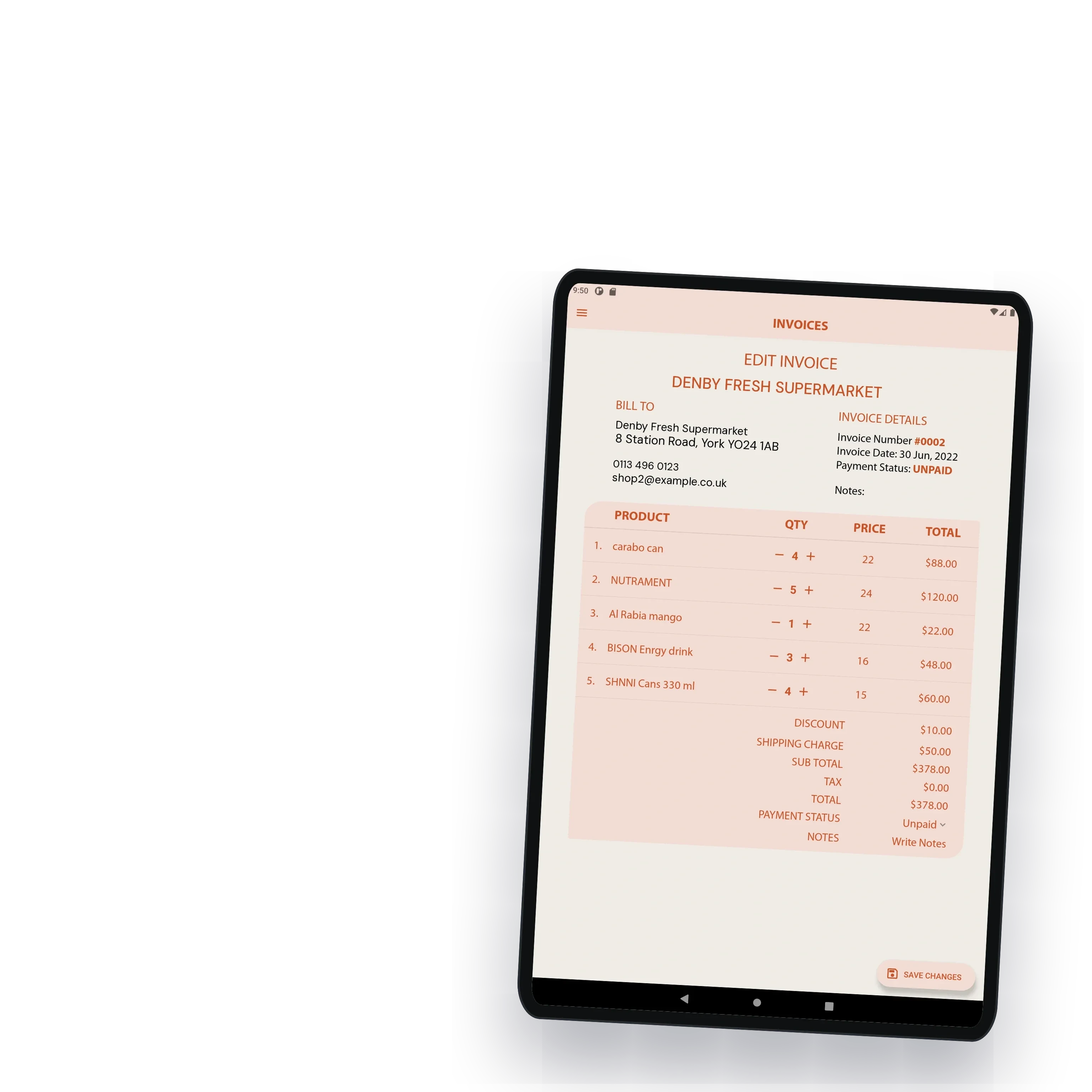
The rep rechecks the cart with the shop owner, adjusts the quantities, picks the customer and watches the final invoice build itself. Discounts, delivery charges and tax are added on the spot, the totals update as they change, and the invoice is marked paid or unpaid before the rep leaves.
Every invoice takes the next number in sequence, and that numbering survives sync, so the office never finds two invoices with one number or a gap it has to explain.


Printed before the rep leaves
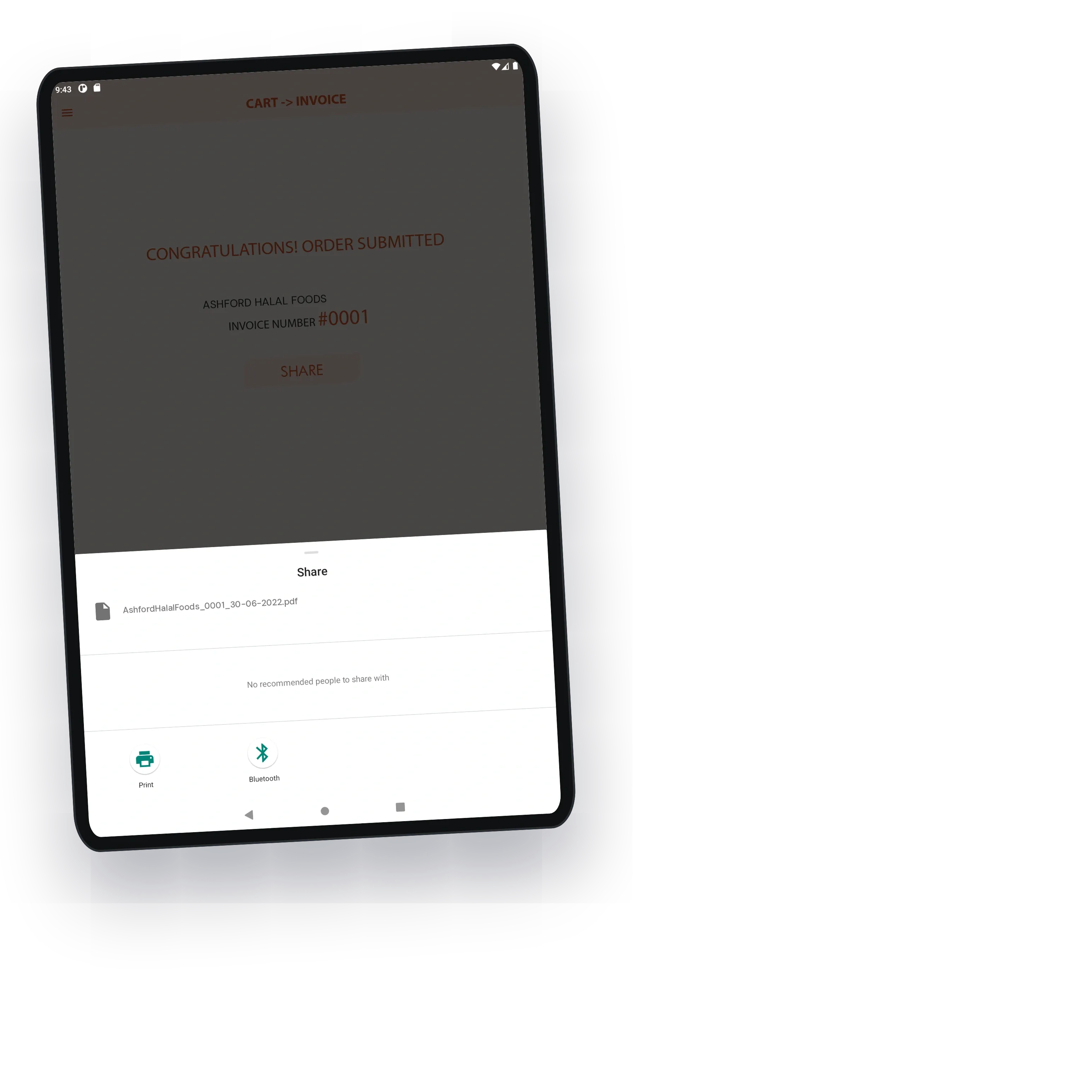
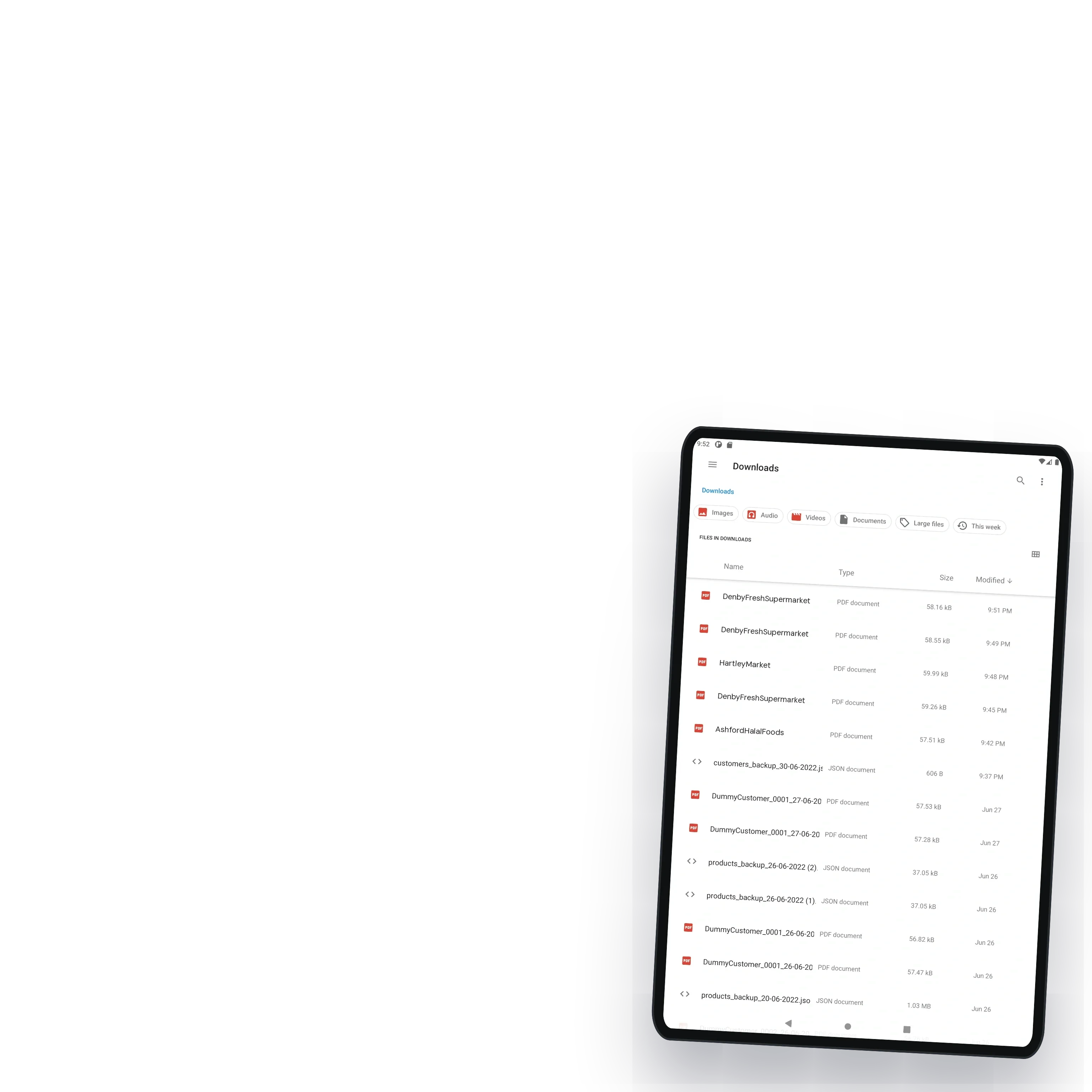
Submitting the order saves the invoice as a PDF on the tablet, named after the customer and the date, ready to print at once over Bluetooth or to share. The retailer has paper in hand before the rep is out of the door, and the paper trail starts where the sale happened instead of at a desk the next morning.

Who owes what, at a glance
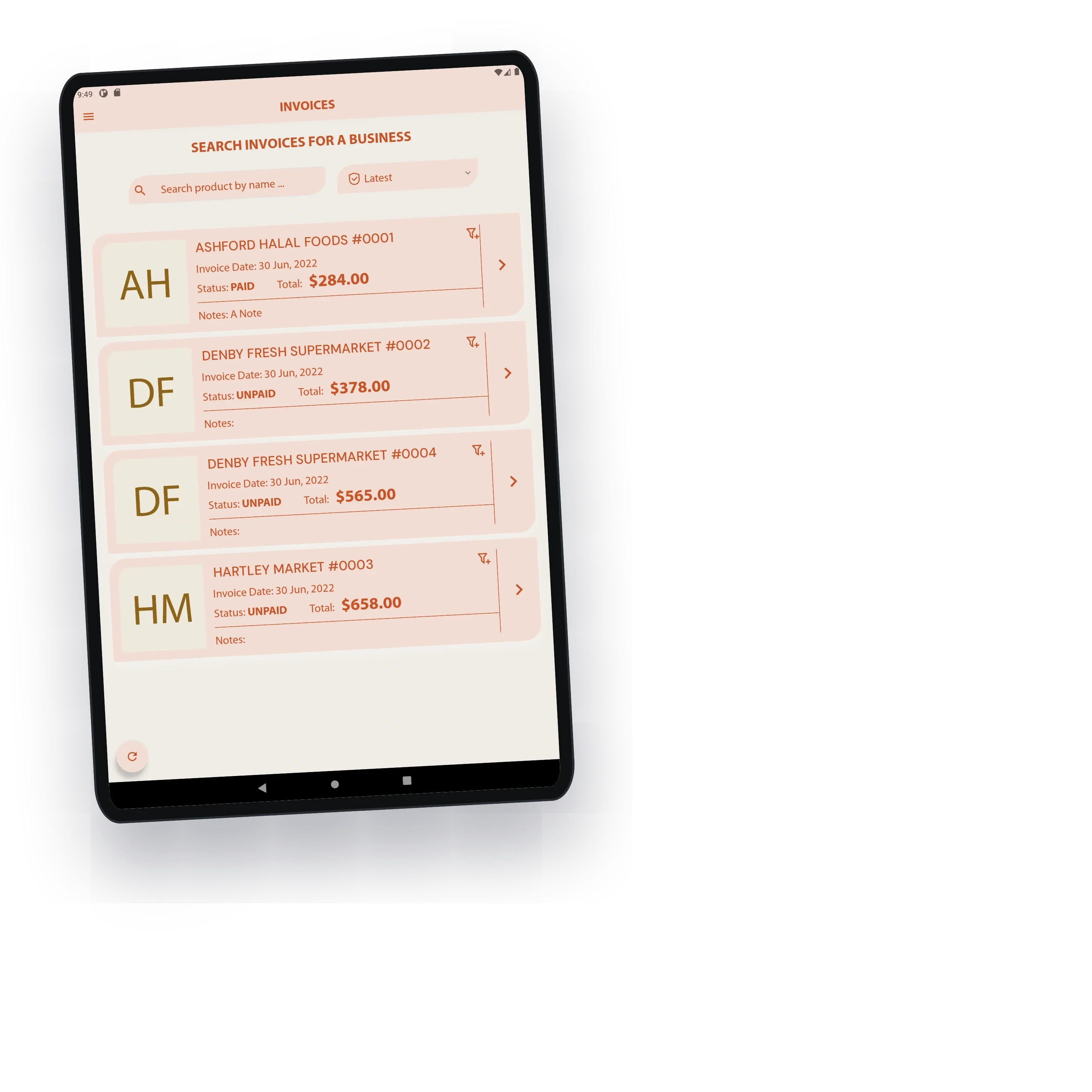
The invoice list is the distributor's ledger in the field. Each shop's invoices carry their number, date, total and whether they are paid, and a filter shows only the unpaid ones, so the rep knows which shops to ask before taking a new order.
An invoice can be reopened and corrected later, and the app writes a fresh PDF the moment it is saved, so the copy the office holds always matches the one the shop was given.

Nothing lost, nothing wiped by accident
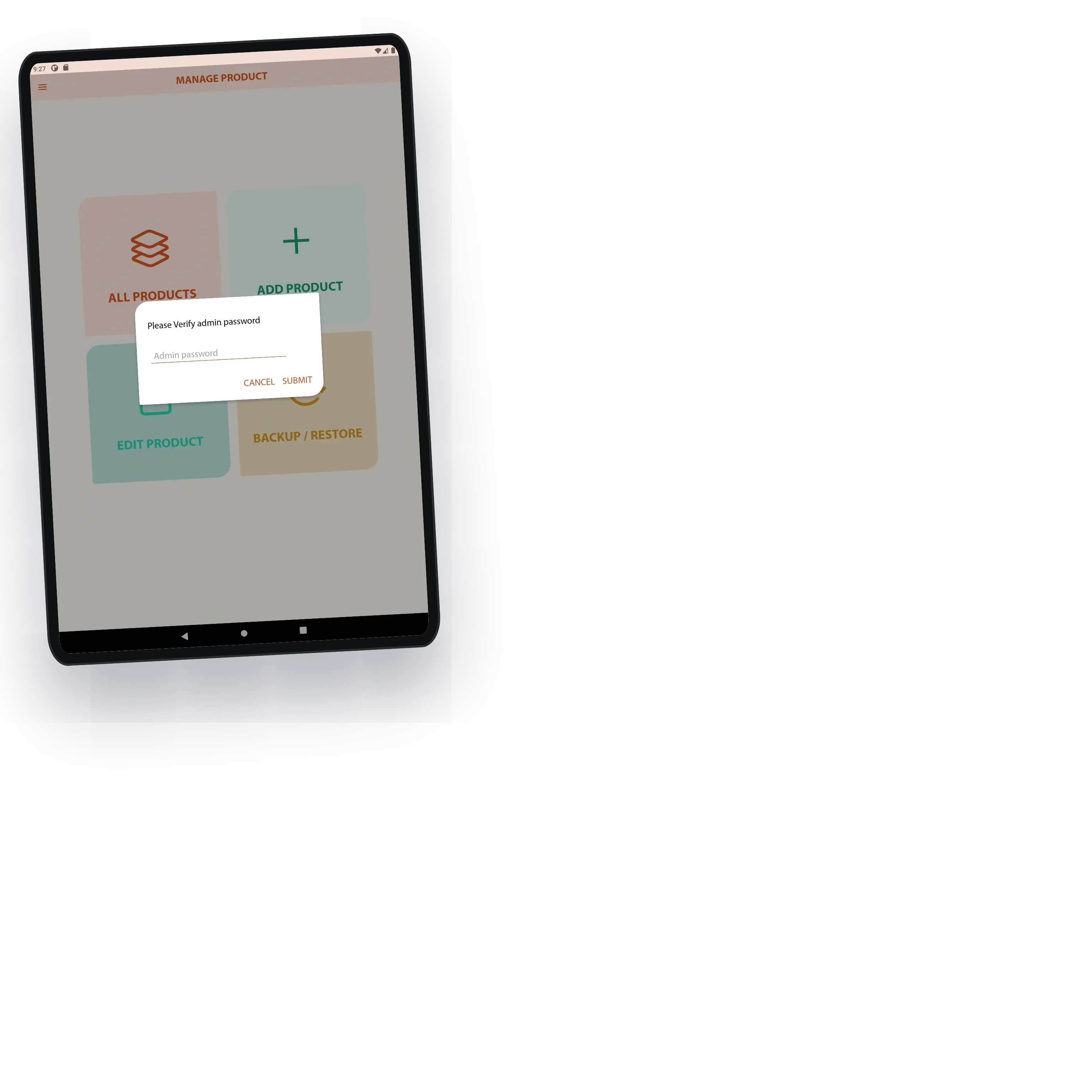
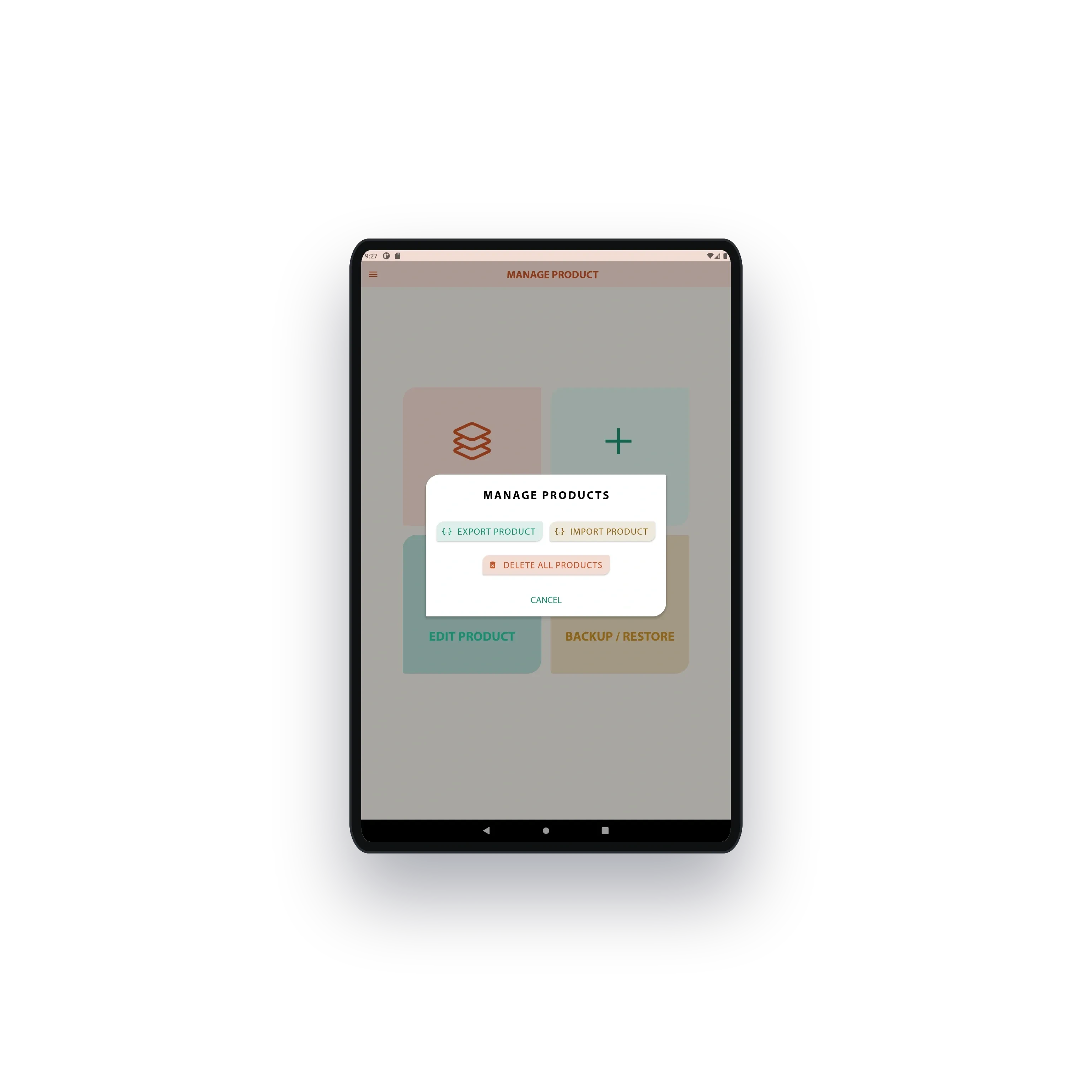
The app is offline first: products, customers and invoices live on the tablet and reconcile when a connection returns, so a sale is never held up by a missing signal. Deleting products, importing a catalogue or exporting invoices sits behind an admin password, so a new rep cannot wipe the day's work by mistake.
Catalogues and customer lists export to dated backup files and import on another tablet, which is how the owner equips a new rep quickly and keeps a copy of everything off the device.

The workflow the business runs on
The client first hired the studio for a one-month platform sprint on CoverFanz, came back for the workflow their own business depended on, and returned later for a third contract. Invoice Manager moved real stock and printed real invoices in the field, which is the only test that counts for software like this.
For the reps it meant finishing a visit with the paperwork done. For the owner it meant stock, invoices and what each shop owes, all in step with what was actually sold.
What they said

Worked on an application for my business and I cant thank him enough. Went above and beyond again to deliver the best app I have ever received. Worked tirelessly on my project and spent many hours testing and debugging everything from functionality to design. Moniruzzaman communicated with me on a daily basis and cleared out any confusion before hand. He is available almost all the time, his response back is less then an hour if he is busy. He is very knowledgeable when it comes to mobile and web app development. This is my second time doing business with Moniruzzaman. The reason being is a timely manor in which he delivers his job requirements and even after completing the contract and there is an issue he will fix it without a problem. Overall, I enjoyed working with him and i will most definitely hire him in the future.
Jul 22, 2022
(5.0)Md. Moniruzzaman went above and beyond for me and completed my project on time. Given the time limit, he dedicated 15-18 hours a day to work on the project. Completed the backend within a week and also provided amazing documentation. Moved on to the frontend and also completed it before the due date. I could not ask for anyone better for this. well worth the price and you will not go wrong with him I promise.
Apr 29, 2022
(5.0)You May Also Like

CoverFanz - Admin Dashboard for a Performer Marketplace
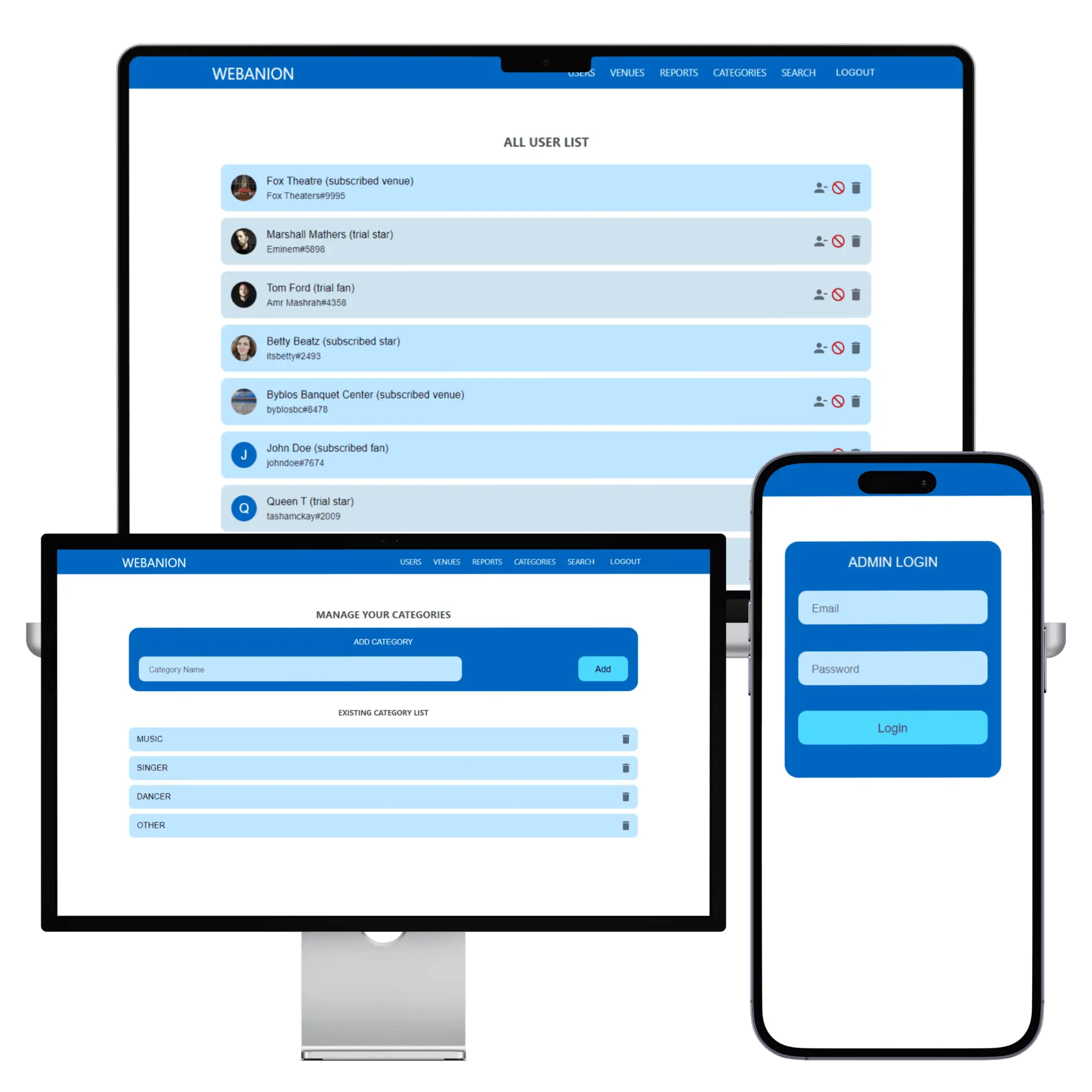
The admin dashboard that let CoverFanz's founder run a performer marketplace from launch day without asking a developer. Every fan, performer and venue sits in one list with its subscription state, new venues wait in an approval queue until their address is checked, reports land with the reason attached, and the kinds of act are a list the founder controls. It was built in the same month as the apps, on the same GraphQL API.
Md Moniruzzaman
Apr 29, 2022

CoverFanz - Fan Engagement and Artist Booking Platform
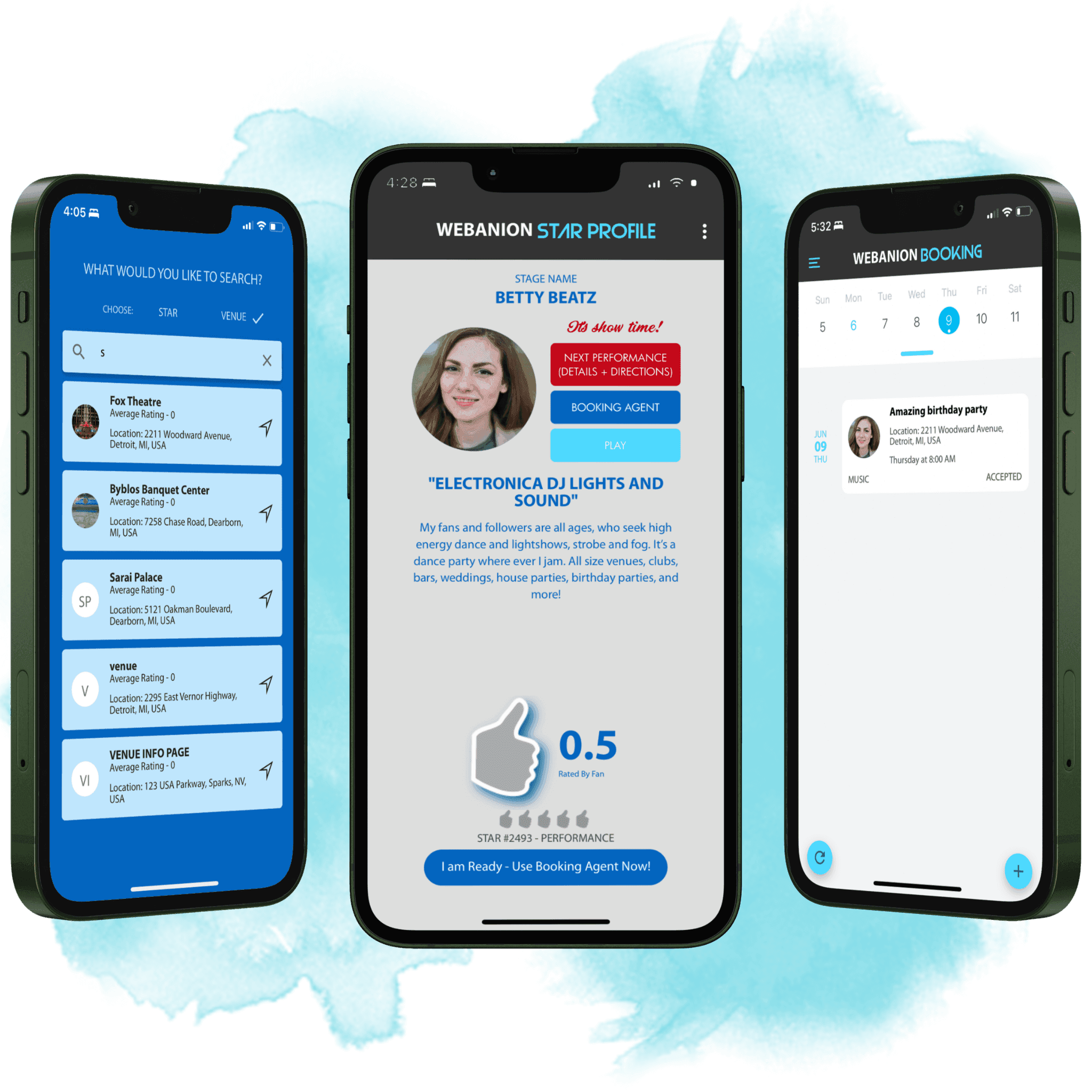
CoverFanz puts performers, venues and fans on one app: venues book performers on written terms, and fans find the next show on a map. A booking carries the event, the times and the fee, the performer attaches their own terms before it goes live, a confirmed event can carry a promotion, and reviews build each performer's record. The backend, the iPhone and Android app and the admin dashboard shipped inside one month in 2022, and both stores approved it on the first attempt.
Md Moniruzzaman
Apr 29, 2022


Carriage - Traveler Help App Delivered Over 18 Months
Land somewhere you do not speak the language and help is all around you, unreachable. Carriage makes it reachable: turn on your dots and see people nearby who share a language and are willing to help, approach one, and once they accept you can message, call or meet face to face. Built as sole developer across a React Native app and a NestJS GraphQL backend, delivered milestone by milestone from an empty navigation shell through social login, profiles, radius discovery, the approach flow and messaging. Eleven milestones were accepted across a year and a half on one continuous engagement, closing at version 1.8.0.
Md Moniruzzaman
Jun 30, 2024


The blog is field notes from production: architecture decisions, AI systems that survived contact with real users, and infrastructure that pays for itself. Written from the work, not about it.