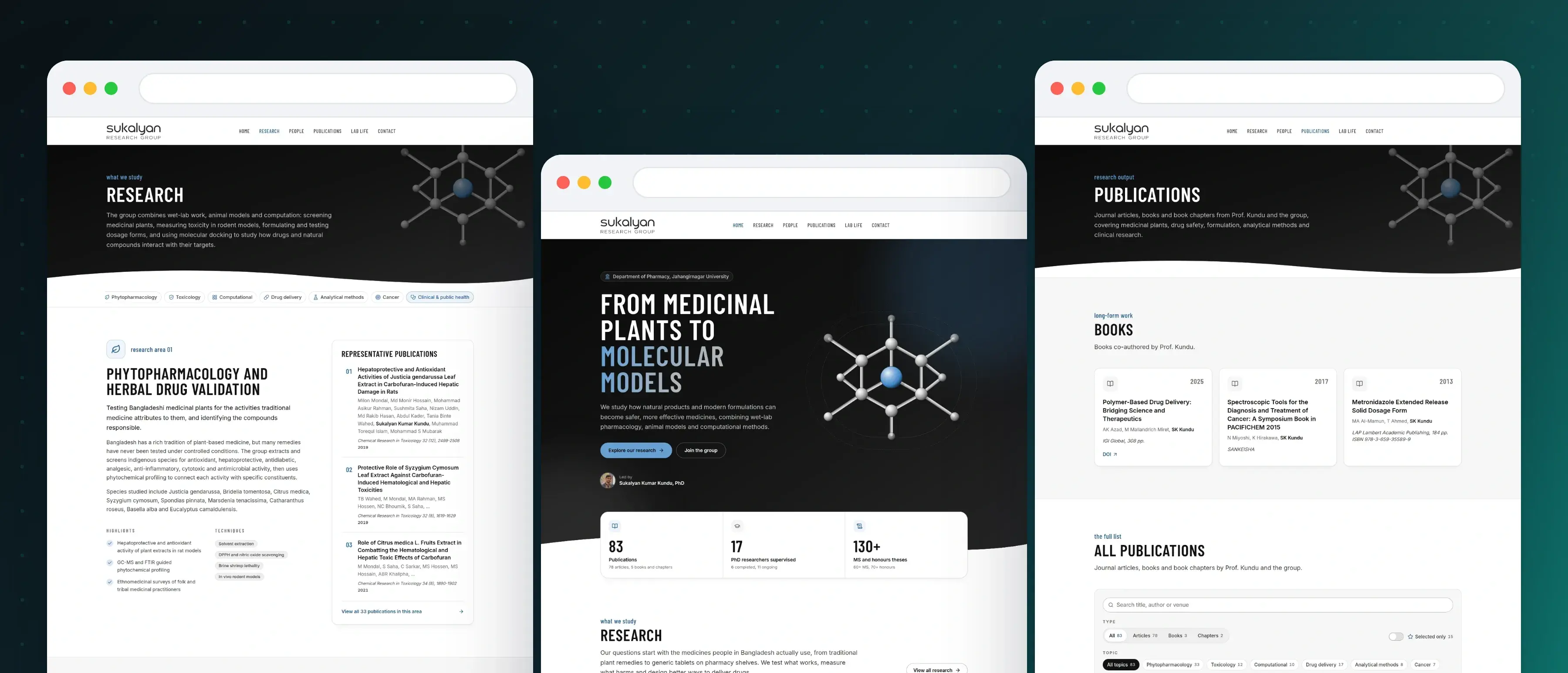

Sukalyan Research Group, a website for a university pharmacy lab
A website for the Sukalyan Research Group at the Department of Pharmacy, Jahangirnagar University, led by Professor Sukalyan Kumar Kundu: seven research areas with their techniques and papers, a filterable publication list of one hundred and twenty-four Google Scholar entries grouped by year, the principal investigator's profile, the members by name and portrait, an alumni destinations wall, a Lab Life gallery and a four track join page with an email checklist. Next.js with static export, React and TypeScript, Tailwind CSS, all content behind one query function so the move to a headless CMS changes nothing else. Deployed as a single container on a self-hosted Kubernetes cluster.

Md Moniruzzaman

The Full Story
A research group with two decades of work, one address on the web, and better email in the inbox.
The work was real. Finding it was not.
The Sukalyan Research Group works at the Department of Pharmacy at Jahangirnagar University, on medicinal plants, drug delivery, toxicology and computational pharmacology. Its principal investigator, Professor Sukalyan Kumar Kundu, has eighty-three listed publications, supervises eleven doctoral researchers, and has guided more than sixty MS theses and seventy honours projects. None of that was in one place. A prospective student, a collaborator or a pharmaceutical company looking for the group found a Google Scholar profile, a ResearchGate page, a university staff listing and a social account, each showing a different slice and none of them explaining what the group is for.
A research group is judged by what a search returns. The brief was one address that carries the whole picture: what the lab studies, who works in it, every paper it has published, and how to join it.
One line that tells a stranger what the lab is for
The home page opens on the sentence the group would say if it had thirty seconds: from medicinal plants to molecular models, studying how natural products and modern formulations become safer and more effective medicines. Under it sit the two things a visitor actually wants, the research and the way in, then three figures the group can stand behind: eighty-three publications, seventeen doctoral researchers supervised, more than a hundred and thirty MS and honours theses. Below them come the seven research areas, the principal investigator with his five public profiles, six selected papers, the team by name and position, and a short honest account of the university and the department around the group.
The questions the group works on start with the medicines people in Bangladesh actually use, from traditional plant remedies to generic tablets on a pharmacy shelf. Saying that plainly, on the first screen, is what separates a group a stranger can place from one they cannot.

Seven research areas, each one an answer before the question
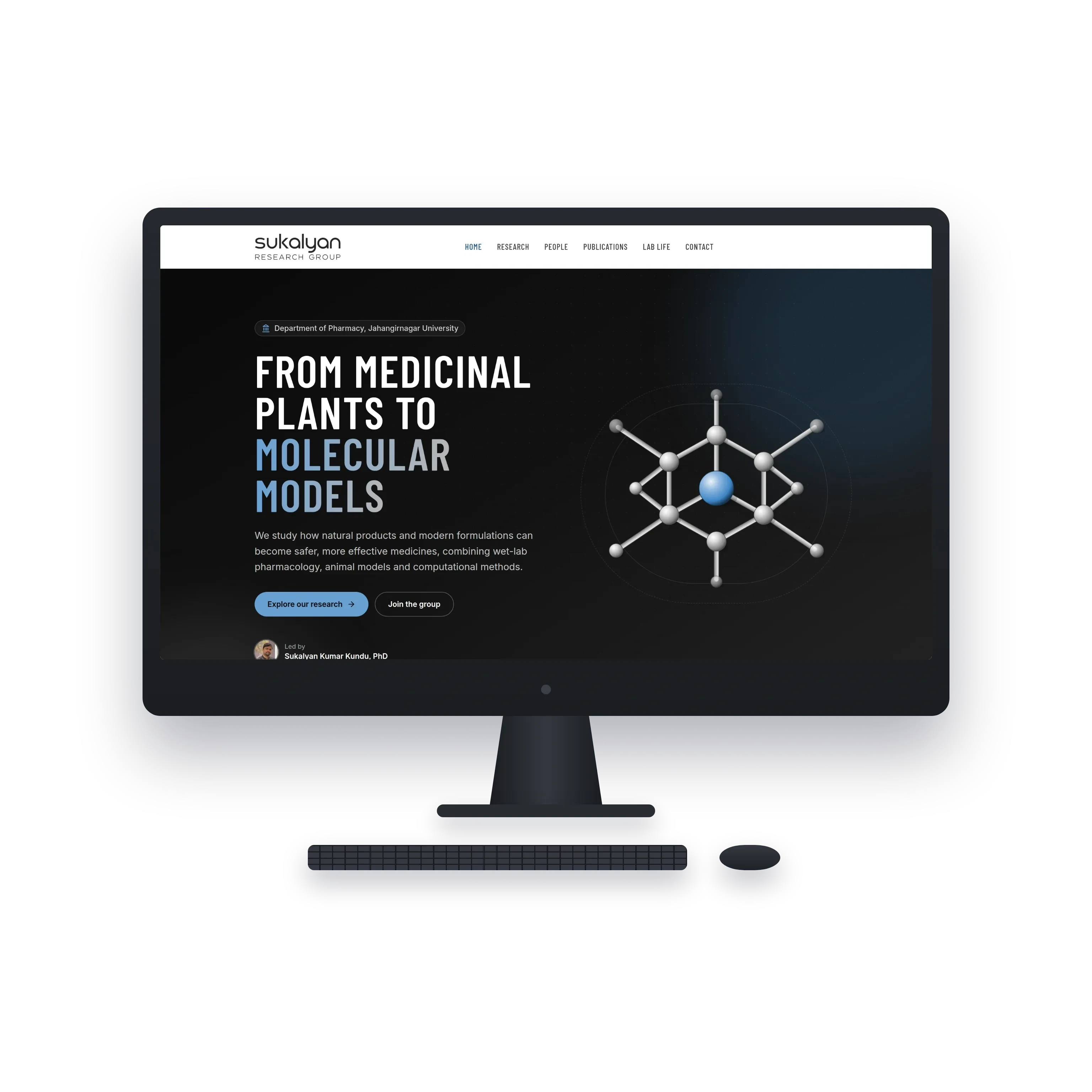
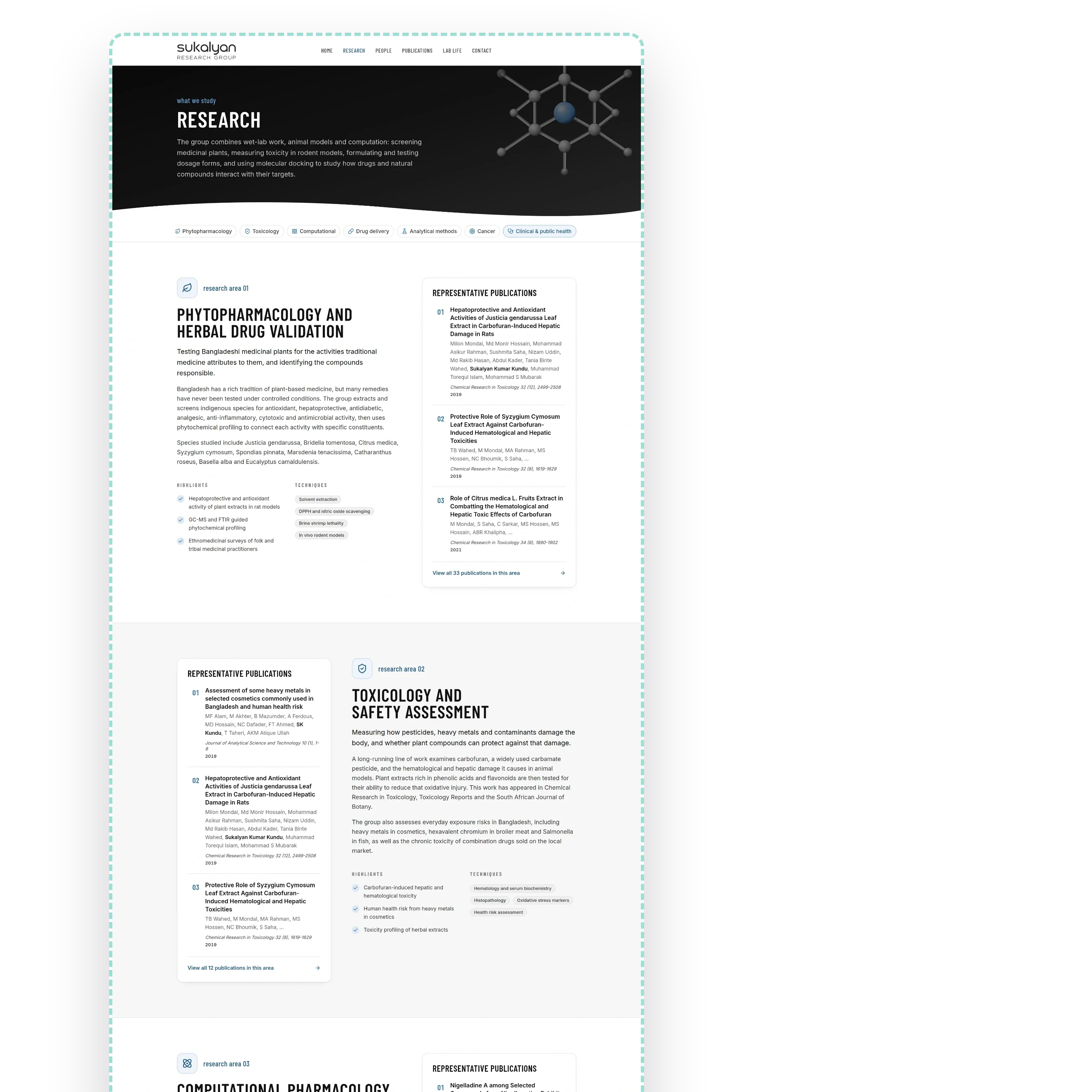
The research page sets out seven areas: phytopharmacology and herbal drug validation, toxicology and safety assessment, computational pharmacology and molecular docking, drug delivery and formulation science, analytical method development and validation, cancer therapeutics, and clinical and public health research. Each carries what it studies, the techniques it uses, its highlights and three representative papers, with a link into every paper behind it, so an area is never a heading with nothing under it, and a strip of the seven stays pinned while the page scrolls.
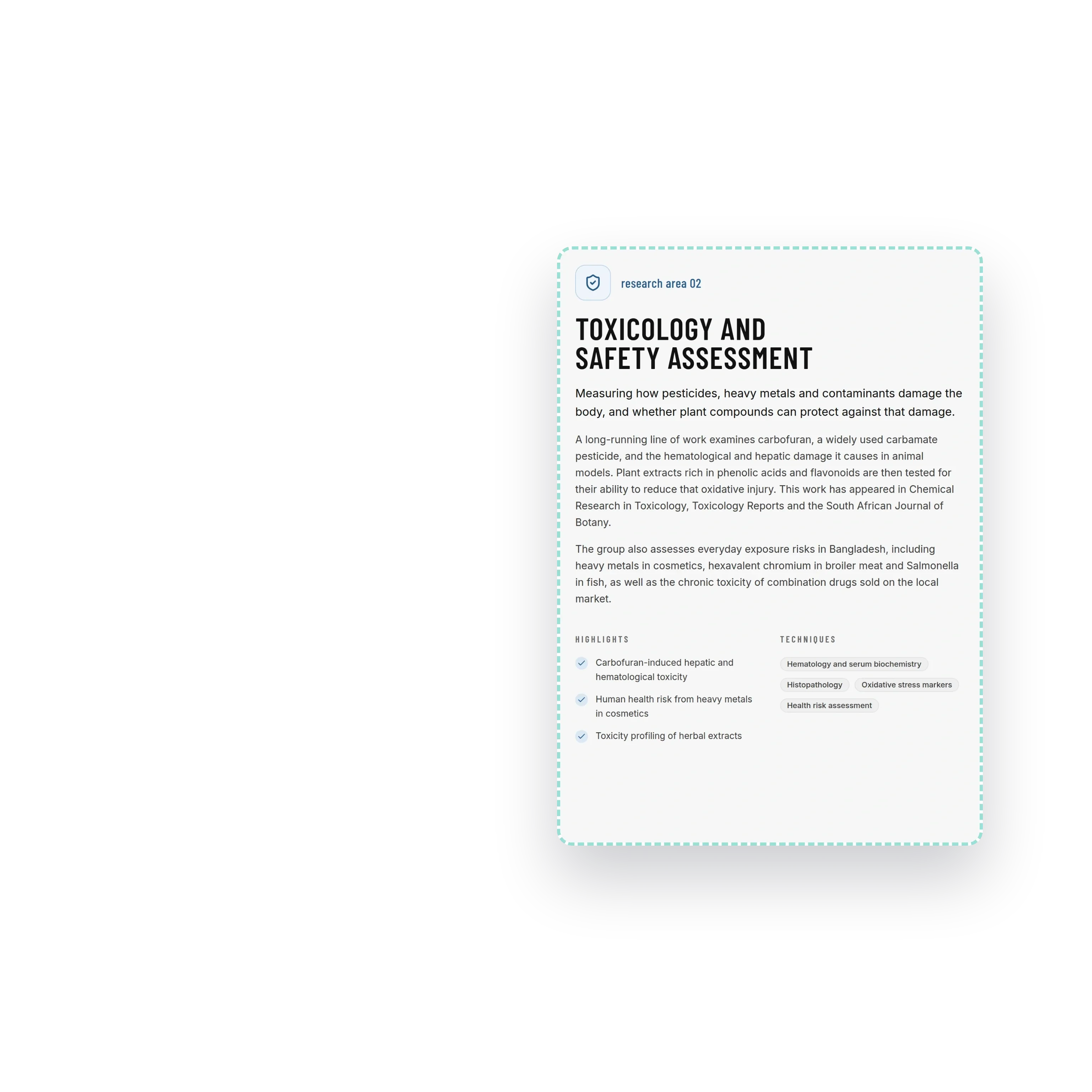
This is the page that does the group's filtering. A student who reads that the lab works on carbofuran toxicity in animal models, or on heavy metals in cosmetics, writes a different email from one who read only that it is a pharmacy department. The methods band under the areas groups the techniques by discipline, docking and ADMET profiling, HPLC and dissolution testing, matrix tablets and hydrogels, animal models and brine shrimp lethality, immunohistochemistry, so a collaborator can see in one screen whether the group runs the assay they need.
Every paper, browsable, with the misattributions handled honestly
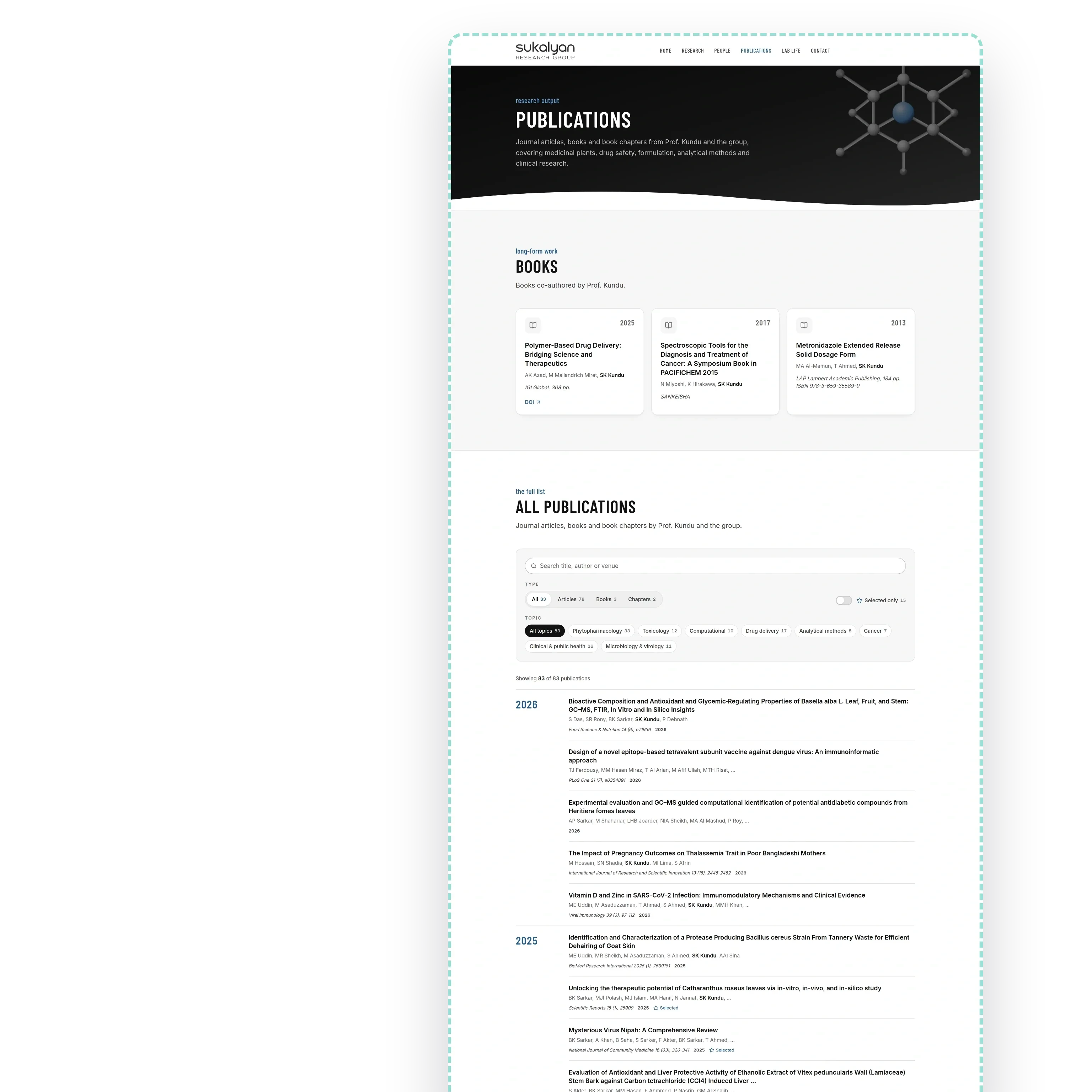
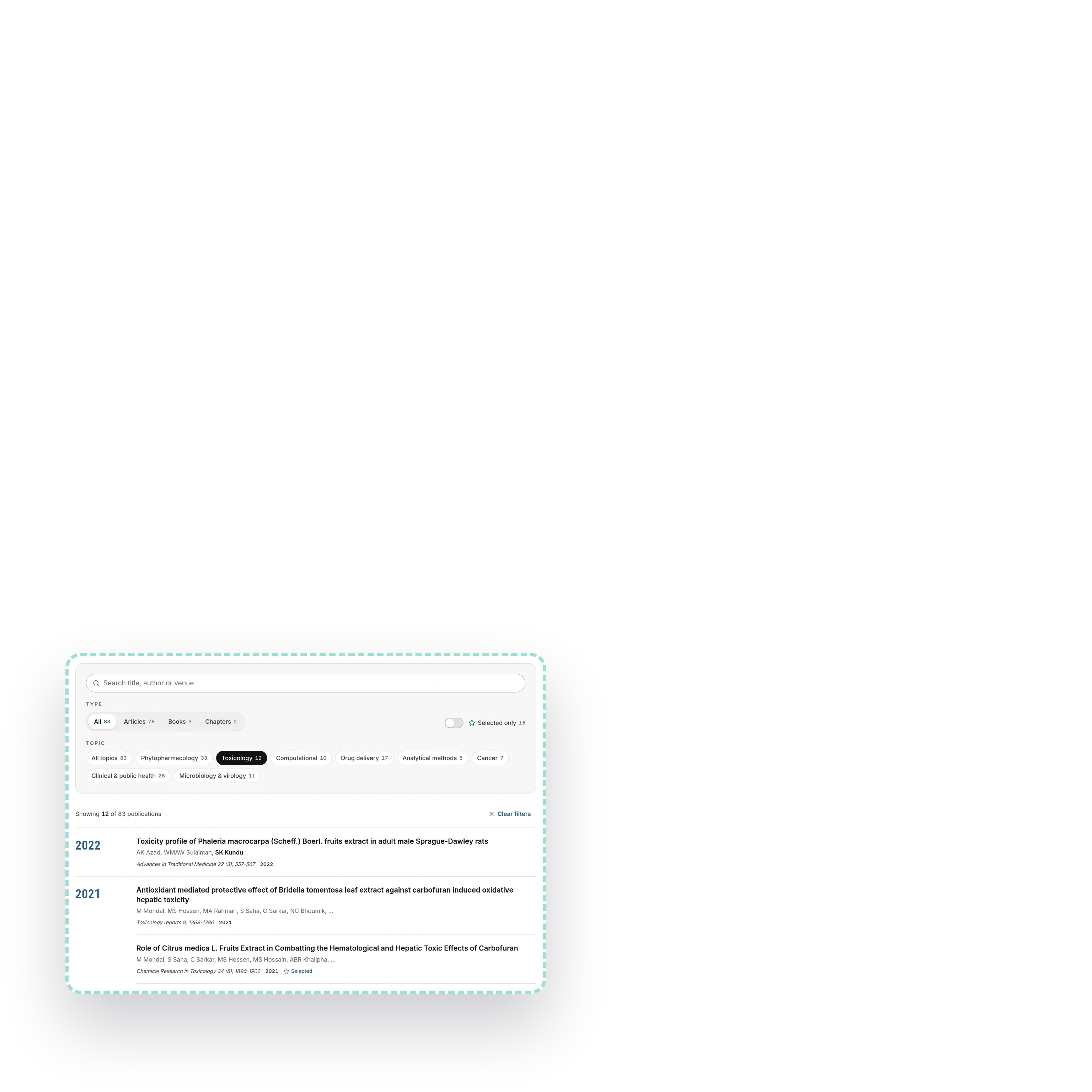
The publications page carries one hundred and twenty-four entries synced from Google Scholar. Eighty-three are shown, grouped by year under headings that stay pinned as the list scrolls, filterable by type, by topic and by free text, with a switch for the fifteen selected papers and the three books in cards of their own above the list. Every filter lives in the address bar, so a research area links straight to its own twelve or thirty-three papers.
The interesting part is the forty-one that are not shown. Scholar attaches papers by other authors with similar names, and those entries stay in the content with a review note explaining why each one is hidden, rather than being deleted. A group's publication list is the one page a reviewer will check line by line, so a wrong entry costs more than a missing one, and a hidden entry can be restored the moment someone confirms it.
People by name and position, and where they went next
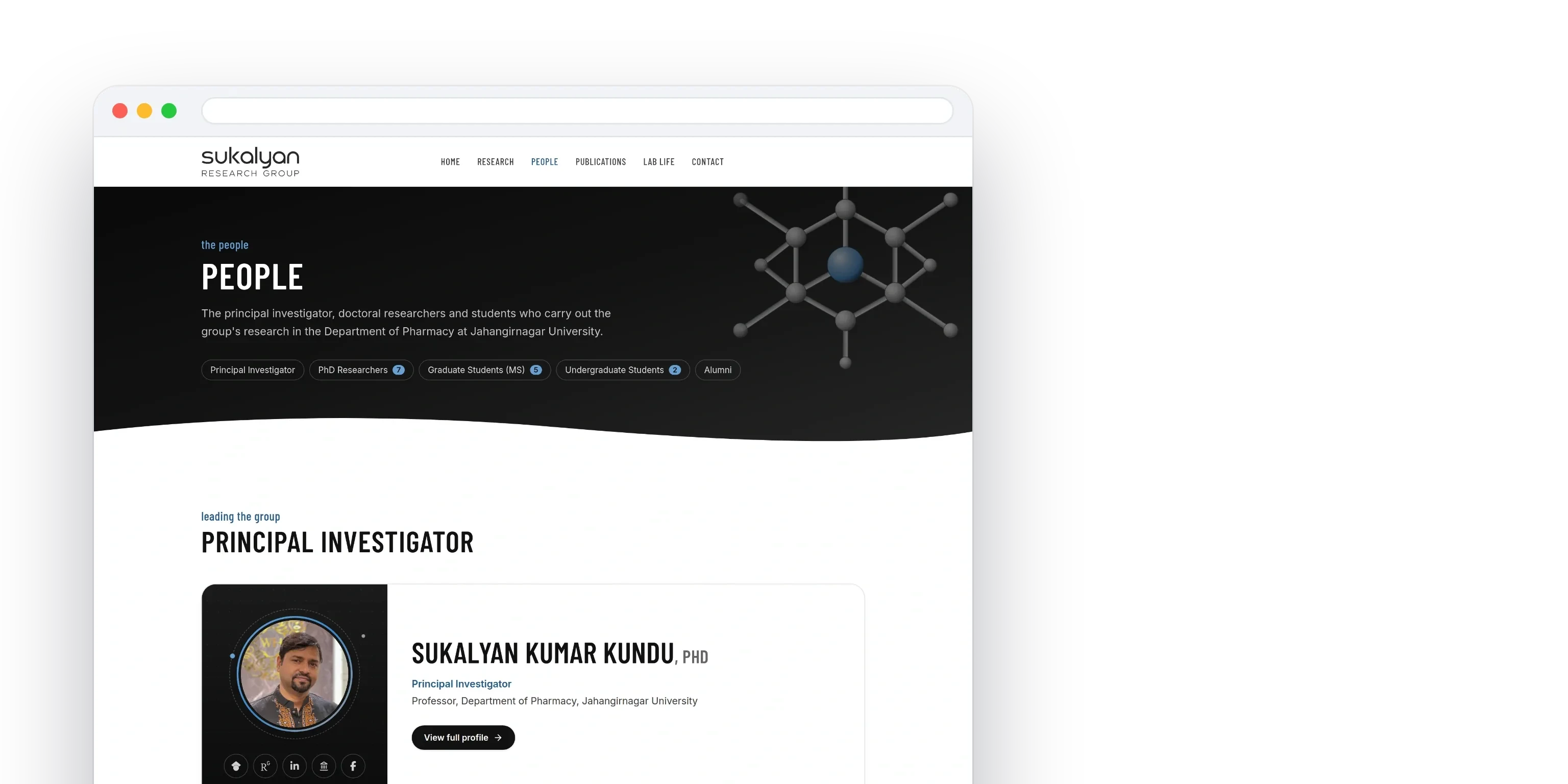
The people page carries the principal investigator with his five public profiles and a full profile behind him, then seven doctoral researchers. The research page closes on where former members went next: nineteen destinations in eight countries, from Harvard, MIT and Yale to Pfizer, Novartis and Square.


A first email worth answering
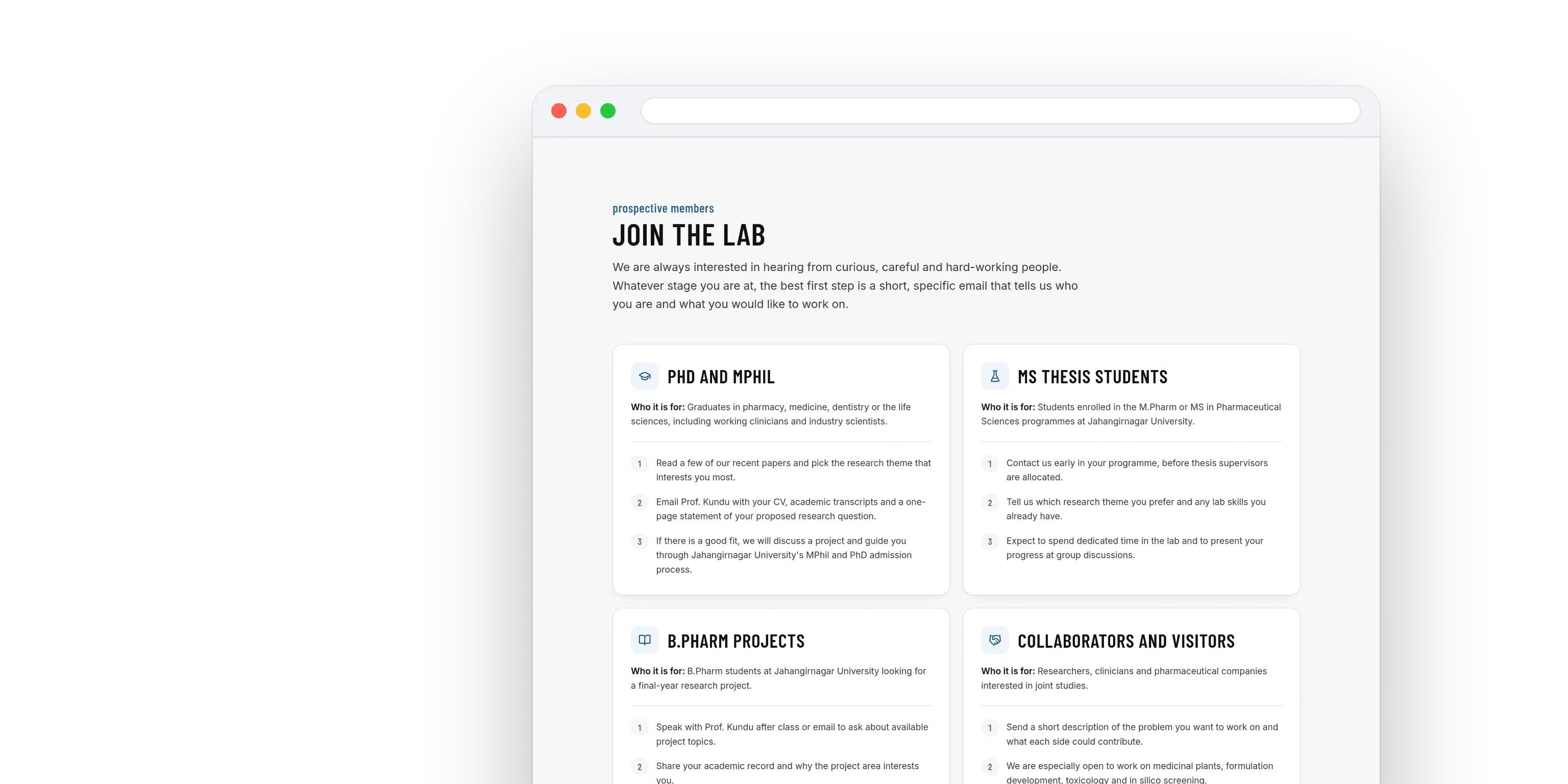
Most enquiries to a professor arrive with nothing in them. The contact page answers with four tracks, doctoral and MPhil, MS thesis students, undergraduate projects and collaborators, each with who it is for and the steps in order, then a checklist and a subject line that one button drops into the mail app. A student sends a CV, transcripts and a research question in the first message instead of the third.


Built now for static hosting, built to move to a CMS without a rewrite
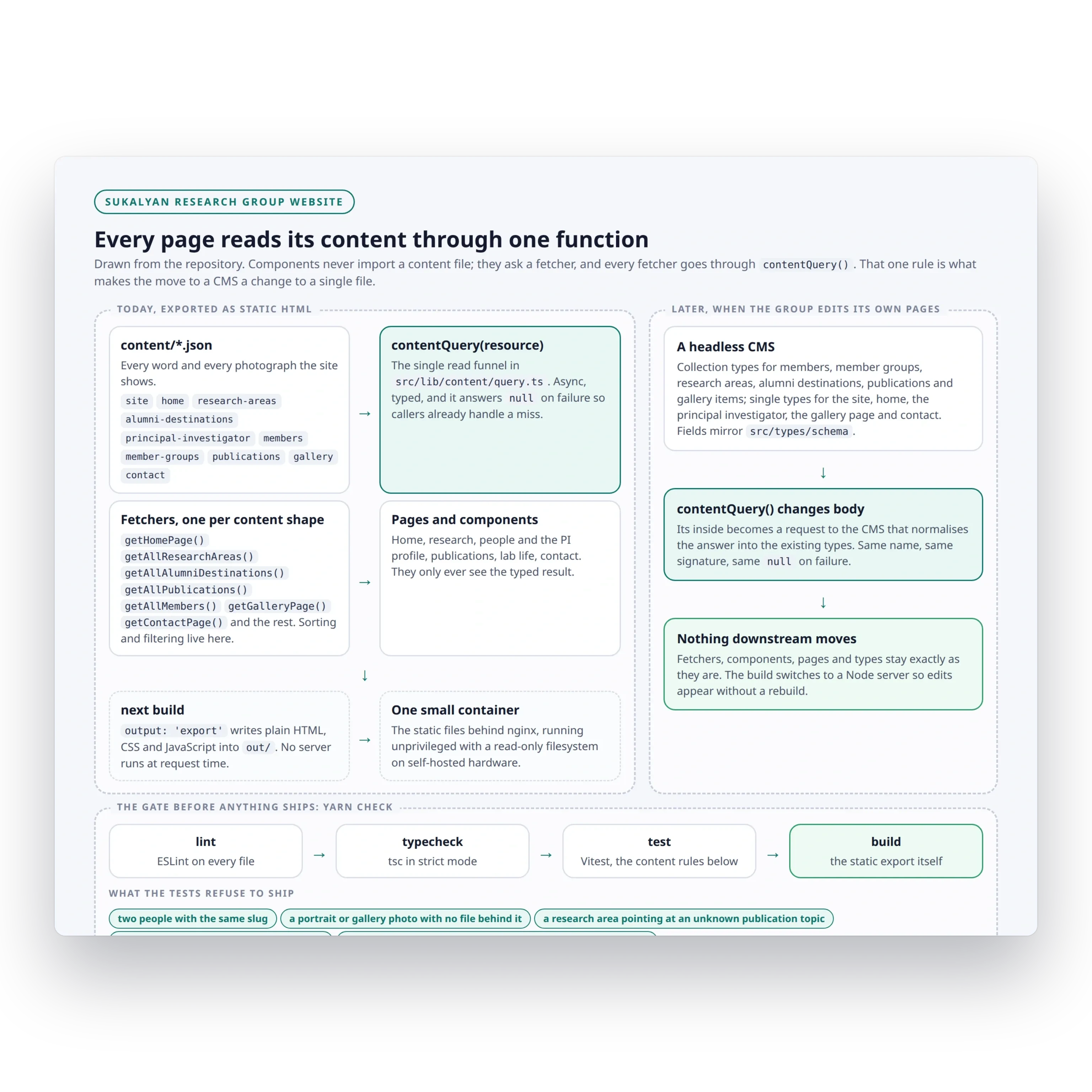
Every word and every photograph on the site lives in content files behind a single query function, and no component reads content directly. That one rule is what makes the next step cheap: when the group is ready to edit its own pages, the query is repointed at a headless CMS and the pages, the components and the types stay exactly as they are. A whole round of changes, the palette, the logo, the people cards, the gallery, the alumni wall and the publications page, shipped in one release, and every change was a content file or a component; the query function and the deployment did not move. Today the site is exported as static HTML and served as plain files by one small container, which is why it loads instantly and costs almost nothing to keep running.
The gate before anything ships is a single command that runs linting, type checking, the test suite and a build. The tests check what actually breaks a research site: no two people sharing a slug, no portrait or gallery photograph pointing at a file that is not there, no research area linked to a publication topic that does not exist, at least one featured paper on the home page, and a scan that fails the build if an em dash appears anywhere in the source, the content or the README.

What the group has now
One address that carries the whole record, research a stranger can understand in a minute, a publication list that survives a line by line reading, the people who work there by name and portrait, the group's own photographs, and a way in that tells each kind of applicant exactly what to send. The site runs as one small container on self-hosted hardware, cheap to keep alive and built so the group can take over editing it whenever it wants to, without paying for the site twice.
You May Also Like


CoverFanz - Admin Dashboard for a Performer Marketplace
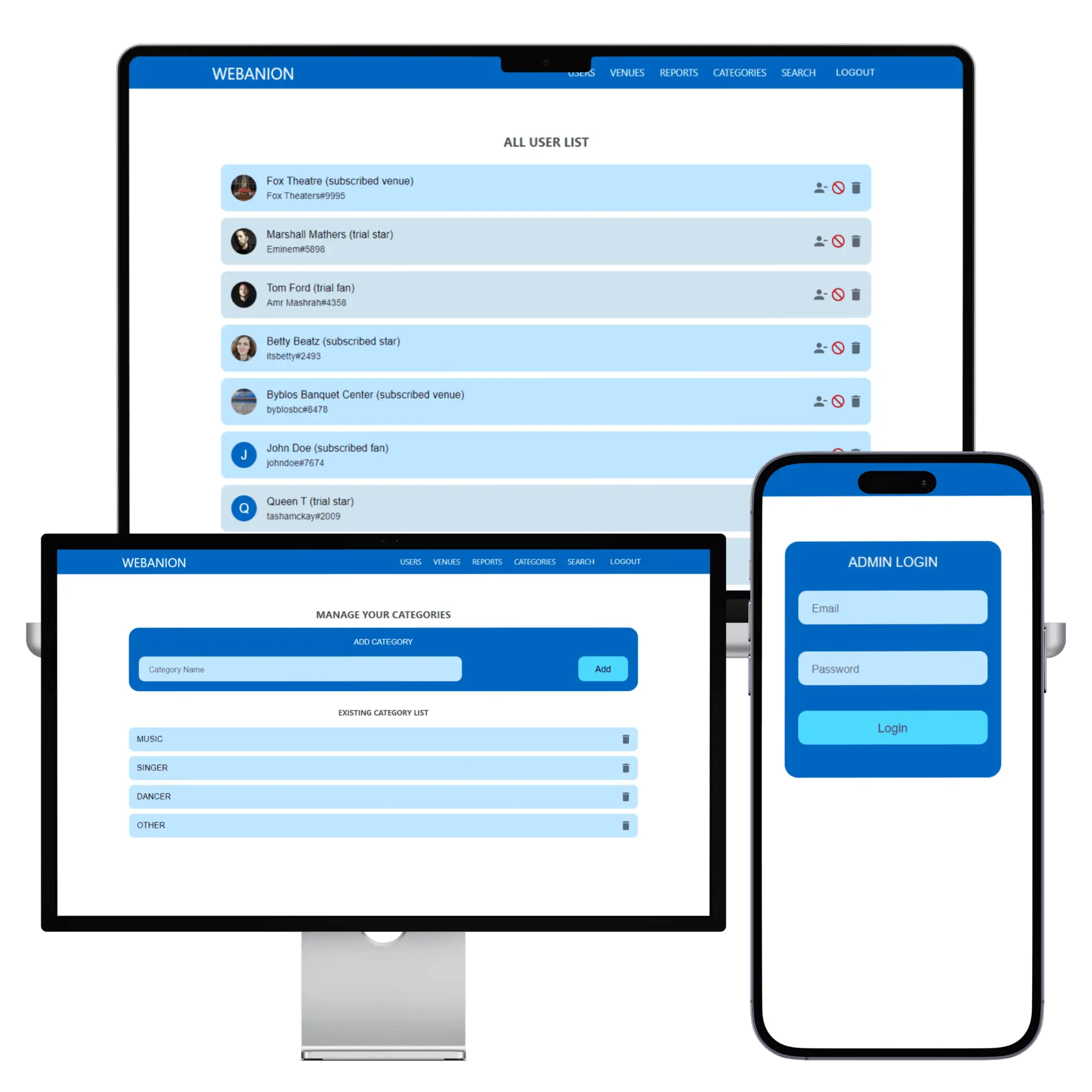
The admin dashboard that let CoverFanz's founder run a performer marketplace from launch day without asking a developer. Every fan, performer and venue sits in one list with its subscription state, new venues wait in an approval queue until their address is checked, reports land with the reason attached, and the kinds of act are a list the founder controls. It was built in the same month as the apps, on the same GraphQL API.

Md Moniruzzaman
Apr 29, 2022



Al-Insaf - Cooperative Finance Platform with Ledger and Loans
A cooperative finance organisation was running member records, savings, loans and investor capital across paper and spreadsheets, with no way to audit a branch or close a day cleanly. We built one system that holds all of it: member registration, daily collections, loan application through to disbursement, a multi-branch ledger, investor capital and an audit log that records who did what. Officers record each collection the moment it is made, managers approve loans and close the day, and the permission model decides what each role can see and do rather than hiding buttons. Everything shown in this case study runs on seeded demonstration data; real member records never appear in portfolio material.
Md Moniruzzaman


Webanion - Headless CMS Portfolio Platform with MCP Server
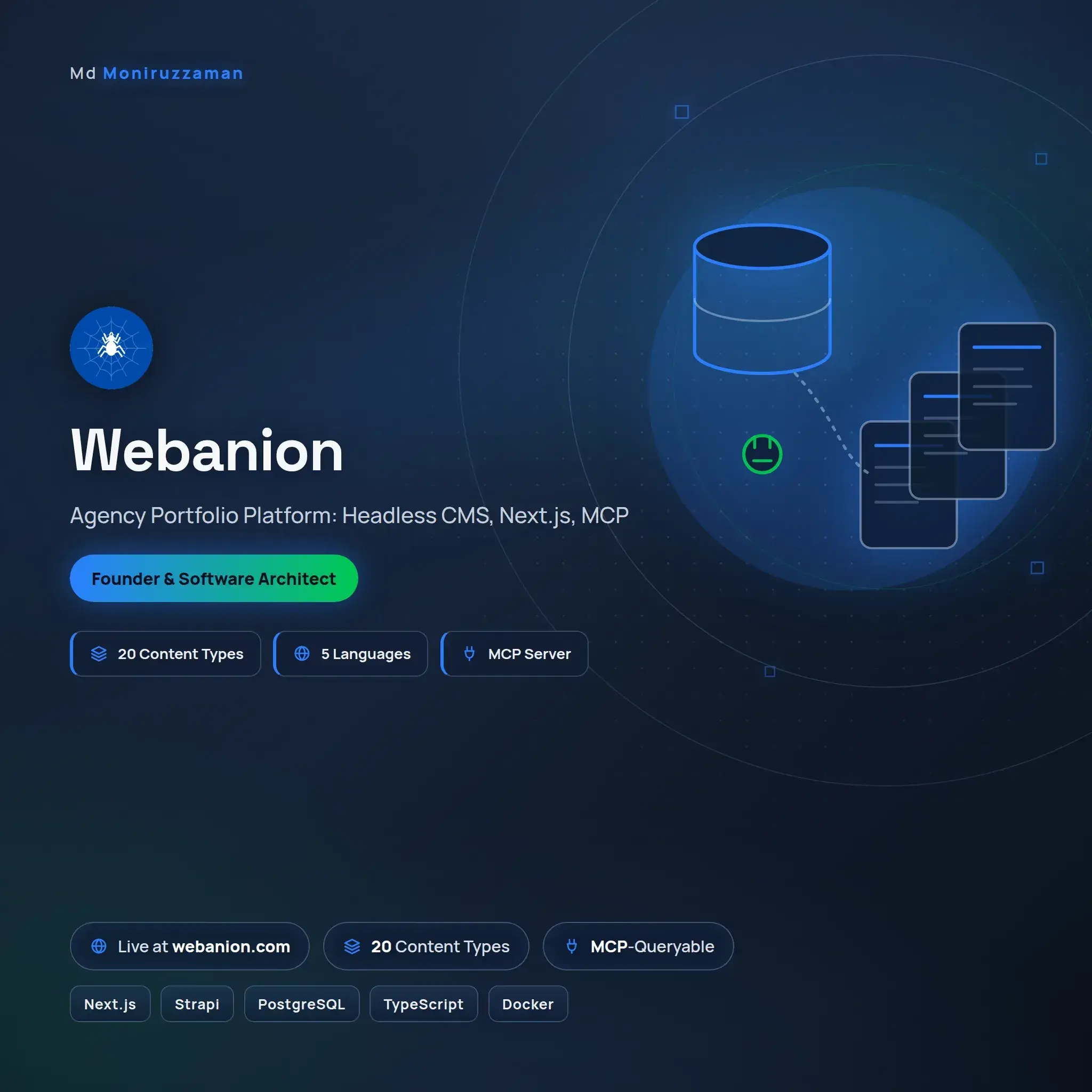
A static portfolio site could not carry work in five languages or keep pace with the writing behind it, so we replaced it with a platform. A headless CMS holds every case study, article and record; a Next.js front end renders them in English, Bengali, Spanish, Hindi and Chinese; and an MCP server exposes the same content to AI assistants, so an agent asked about this work reads the source rather than guessing from a scrape. Search, media handling, an approval flow and a public discovery layer all run on it. The proof is recursive: the page you are reading is served by the system this entry describes.
Md Moniruzzaman

The blog is field notes from production: architecture decisions, AI systems that survived contact with real users, and infrastructure that pays for itself. Written from the work, not about it.