
Keyboard Tracker - Desktop Activity Charts and Reports

A quiet desktop app for Linux, Windows and macOS that counts keyboard and mouse use, charts it and exports reports, built for Ja Turna in five weeks. It counts presses without recording what anyone types, charts a day or a lifetime and stays smooth over months of data, downloads any table as a PDF a manager can share, and backs up its whole history to one file for a new machine. Electron, React, TypeScript and Redux from one codebase.

The Full Story
A quiet tracker, charts that stay smooth over months of data, and reports a manager can share.
Activity nobody could see
A team lead can see a finished task, but not the working day behind it: how long a machine was in use, whether a week was lighter than usual, what a normal pattern looks like. Web tools cannot see the desktop, and the trackers that can are heavy, intrusive and hard to read.
The brief came from Ja Turna, a local Webanion client: a desktop app for Linux, Windows and macOS that runs quietly, counts presses rather than recording what anyone types, and turns that activity into numbers and charts someone can act on.
The day at a glance
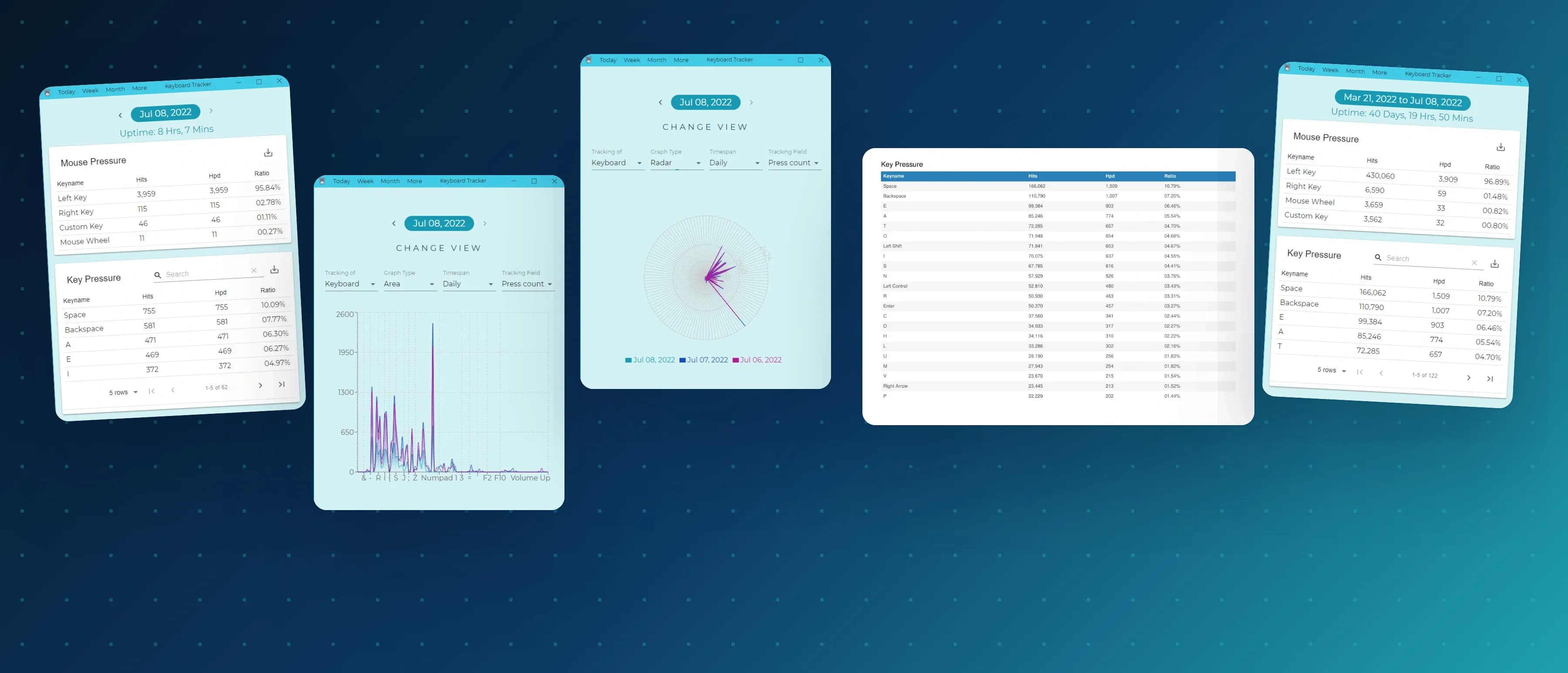
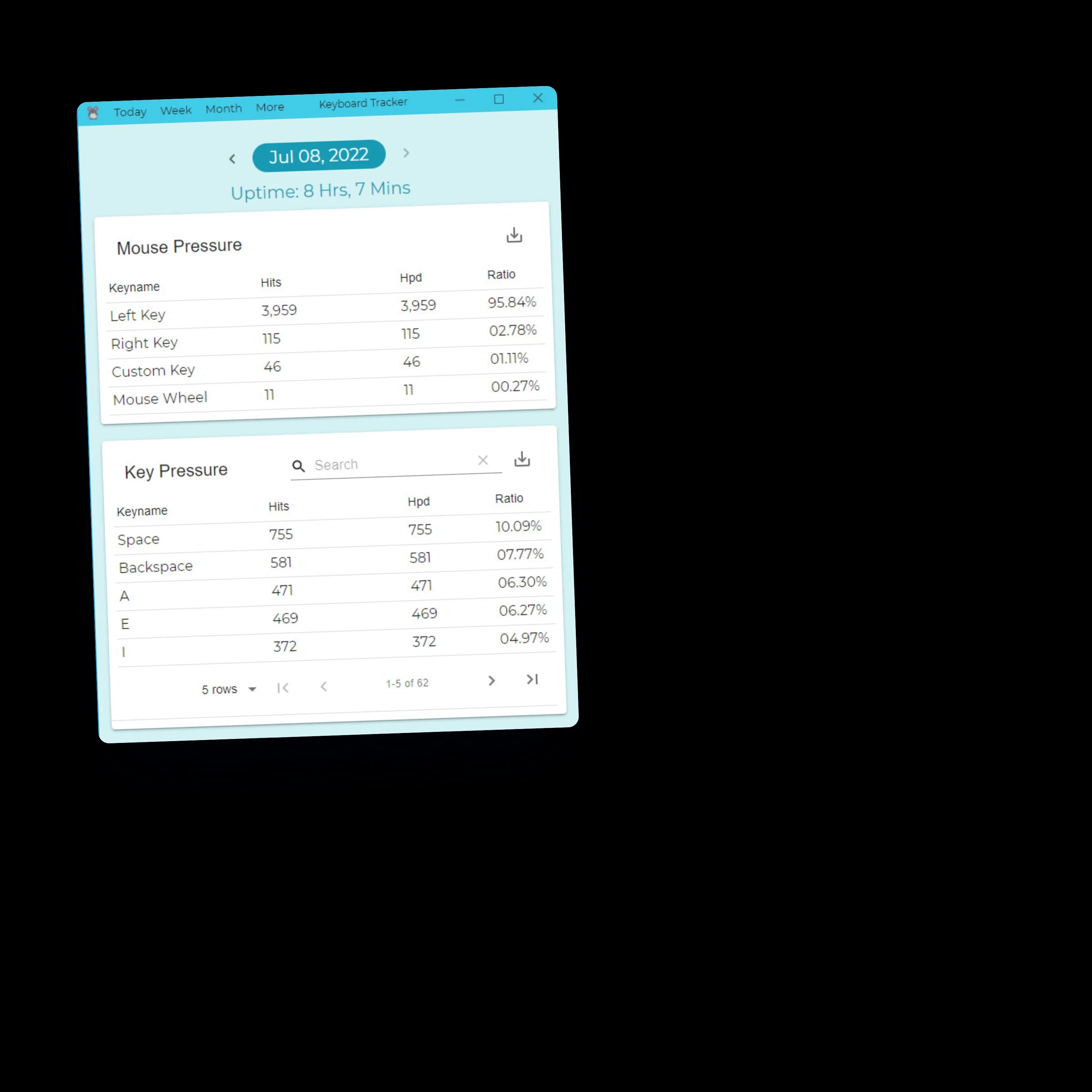
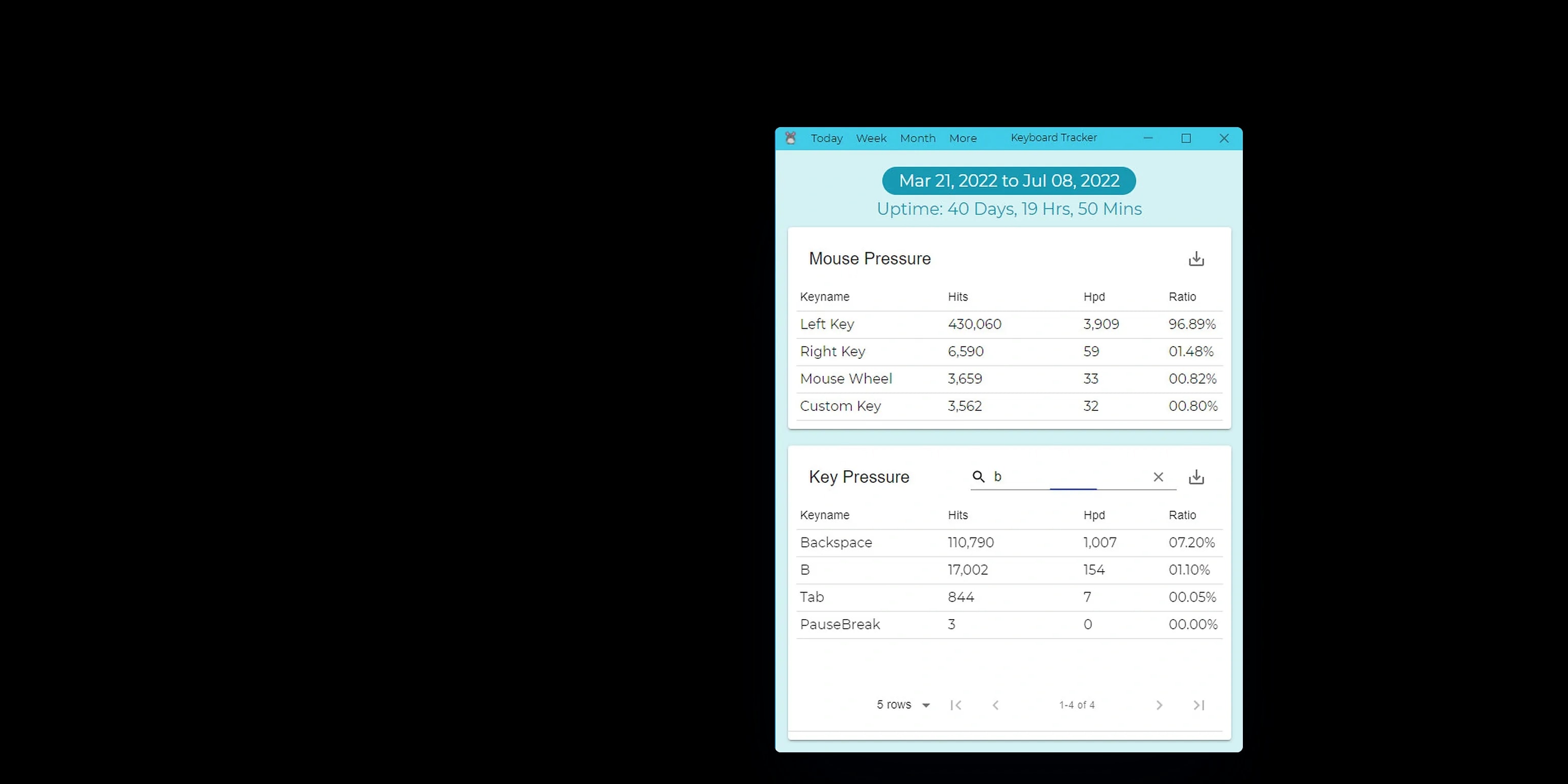
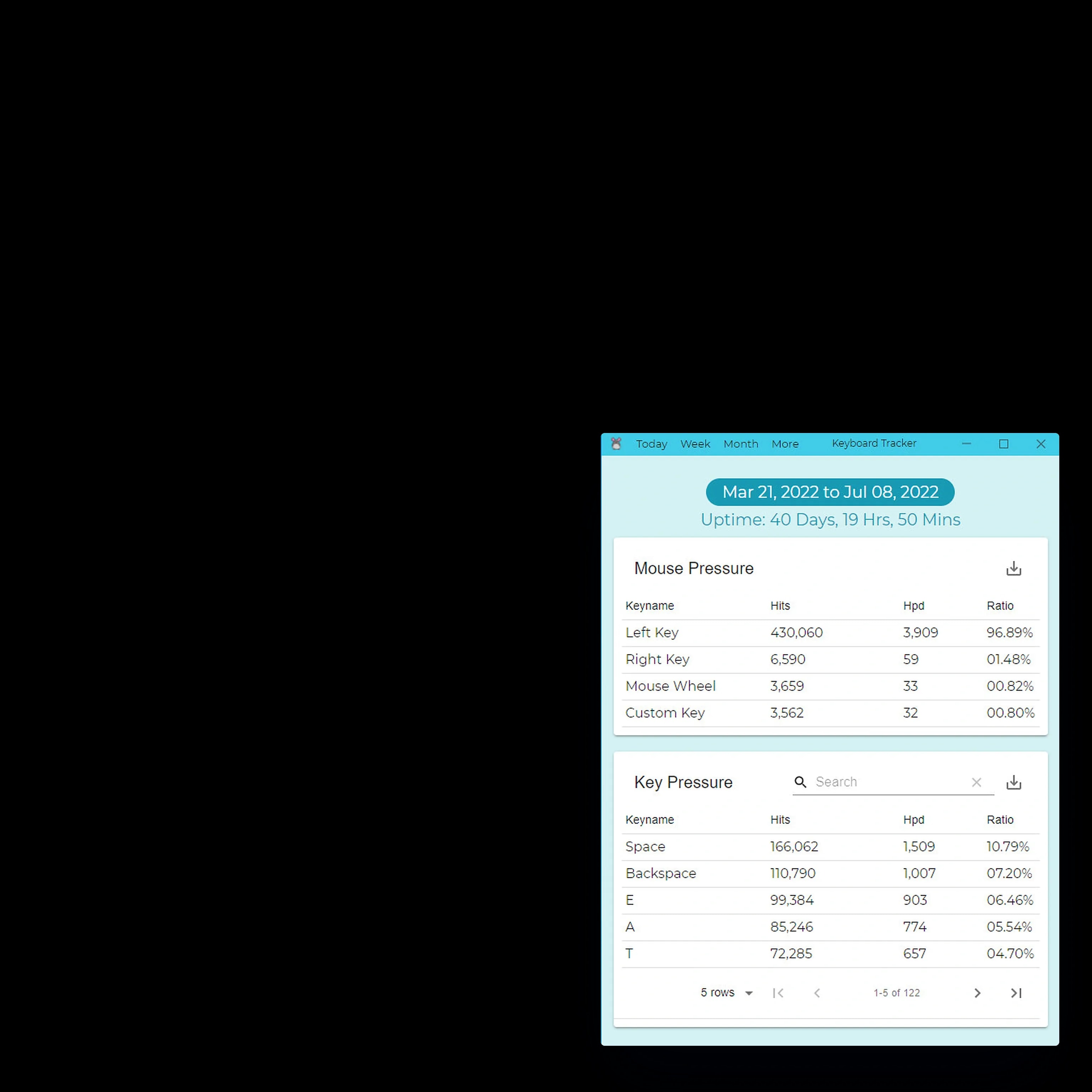
The app opens on today: how long the machine has been up, the mouse clicks and scrolls, and the keys pressed, each with its count, hits per day and share of the total. It records in the background and asks for nothing while people work, and it is there when someone wants to look.

From a day to a lifetime
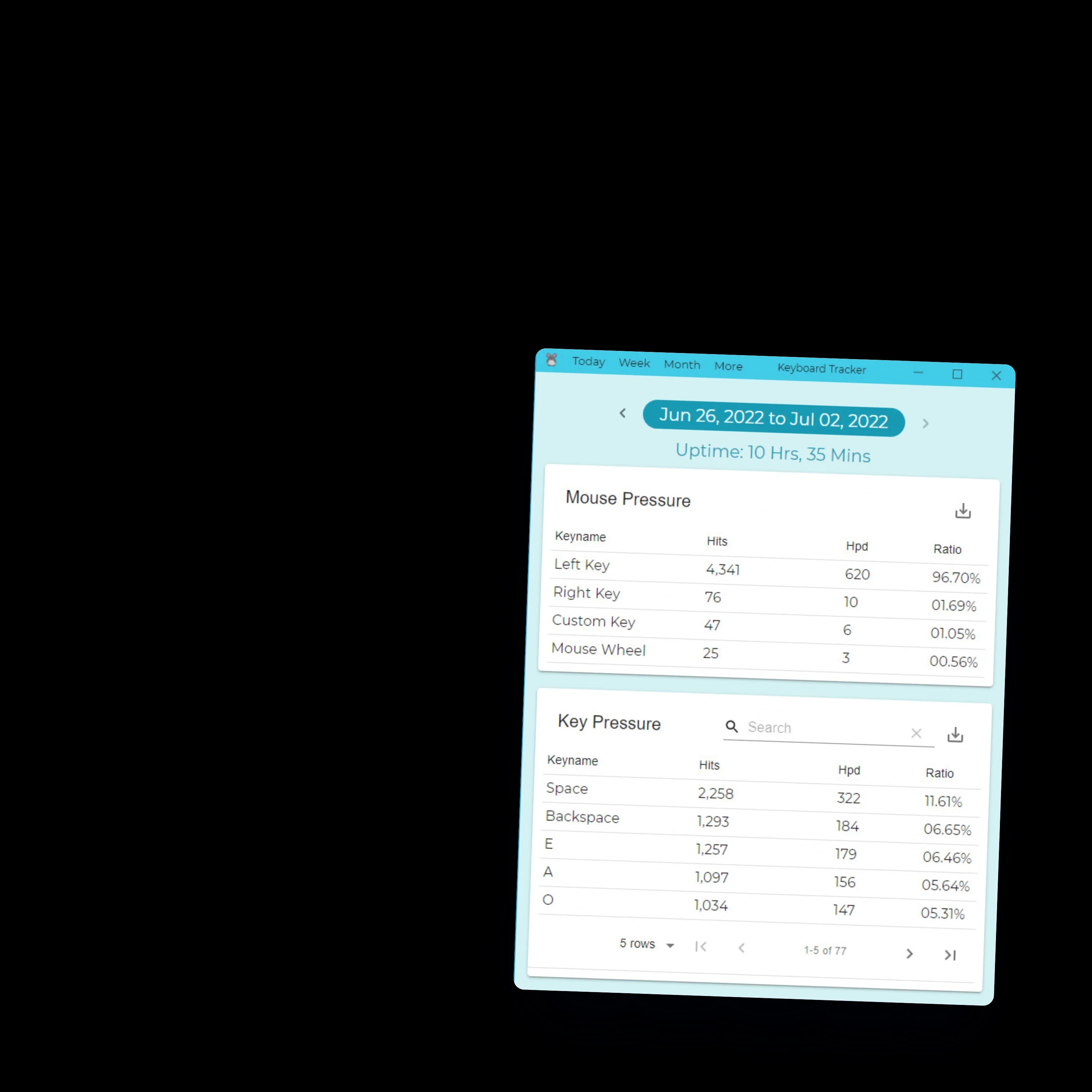
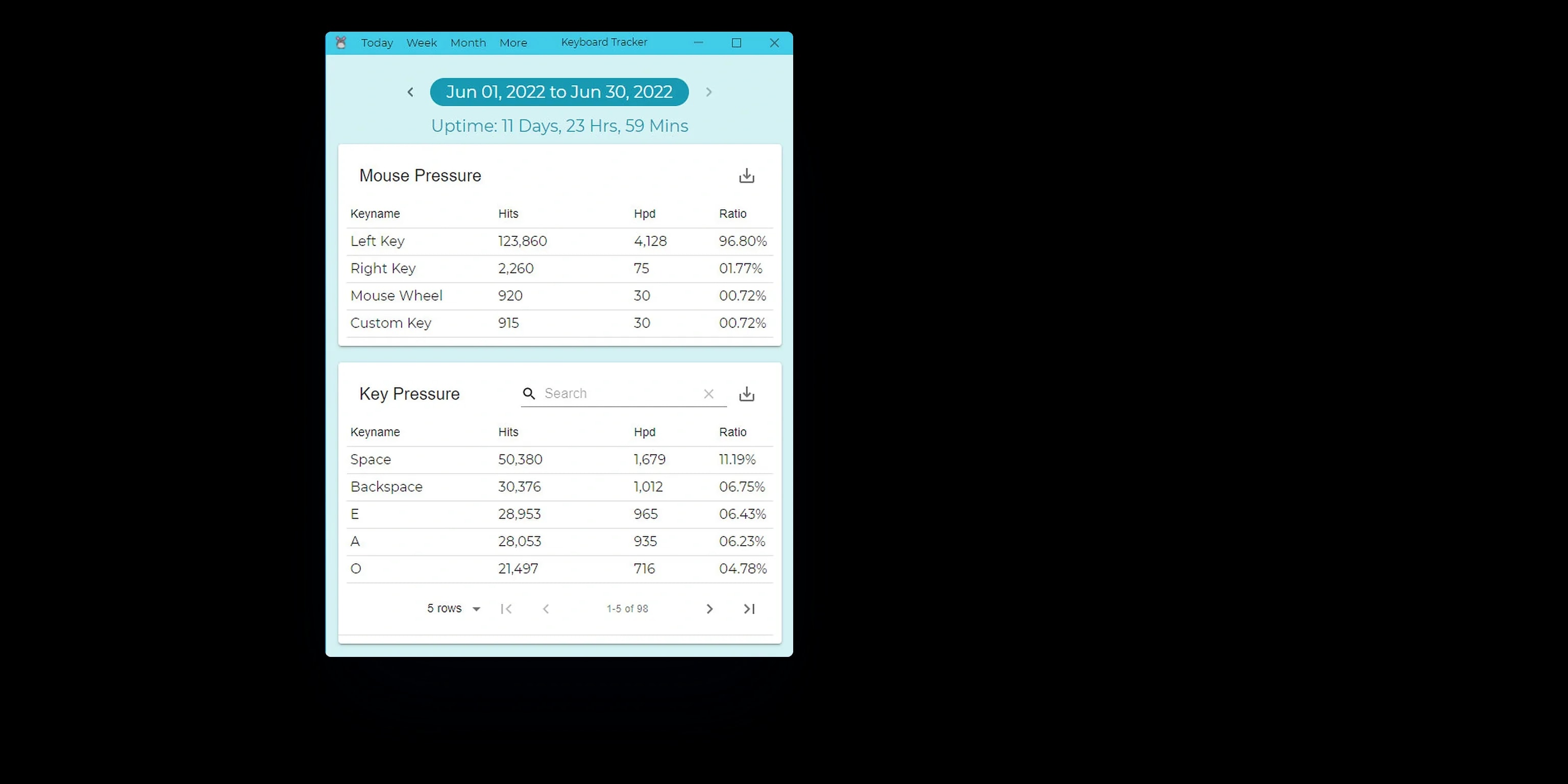
The same view steps from a day to a week, a month, a year and the lifetime of the install, with the uptime for each period. A search box finds any key across the whole history, so a question about a period gets an answer in seconds instead of an export.

Charts that stay smooth over months
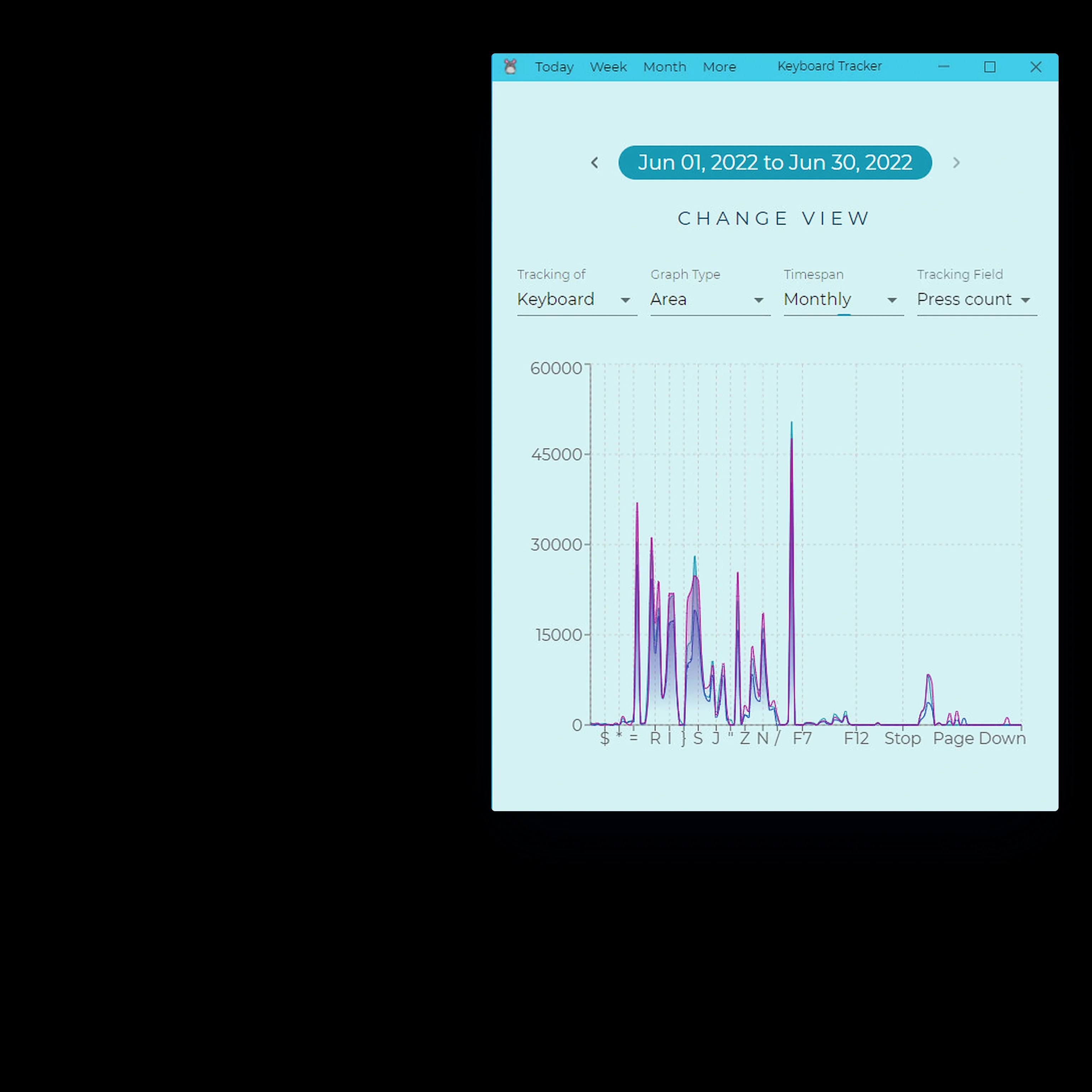
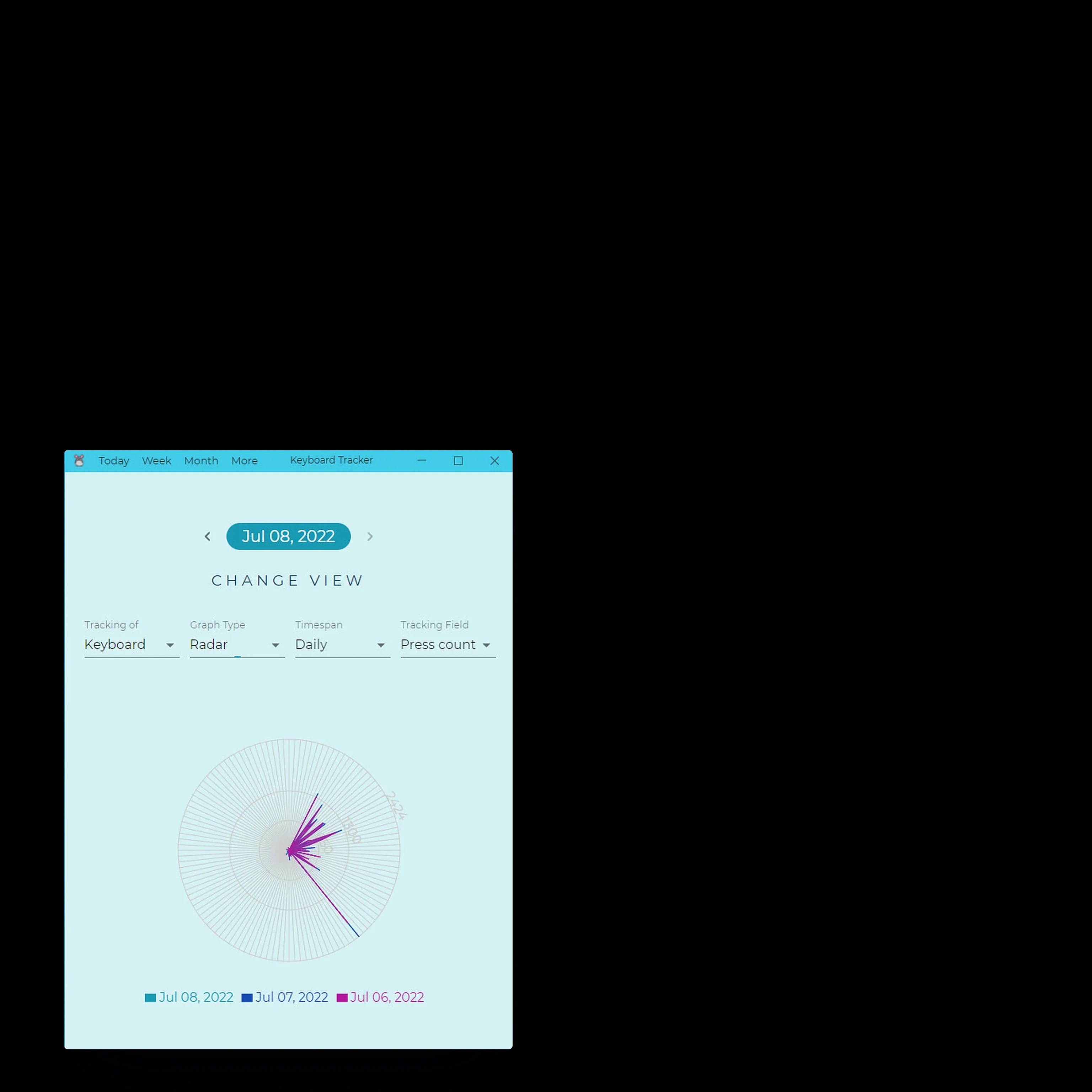
Activity can be charted as an area, radar or composed chart, for the keyboard or the mouse, over a day, a week or a month, and several days can be laid over each other to compare. Desktop analytics apps usually slow down once months of data pile up, and this one stays smooth.

Reports you can hand to someone
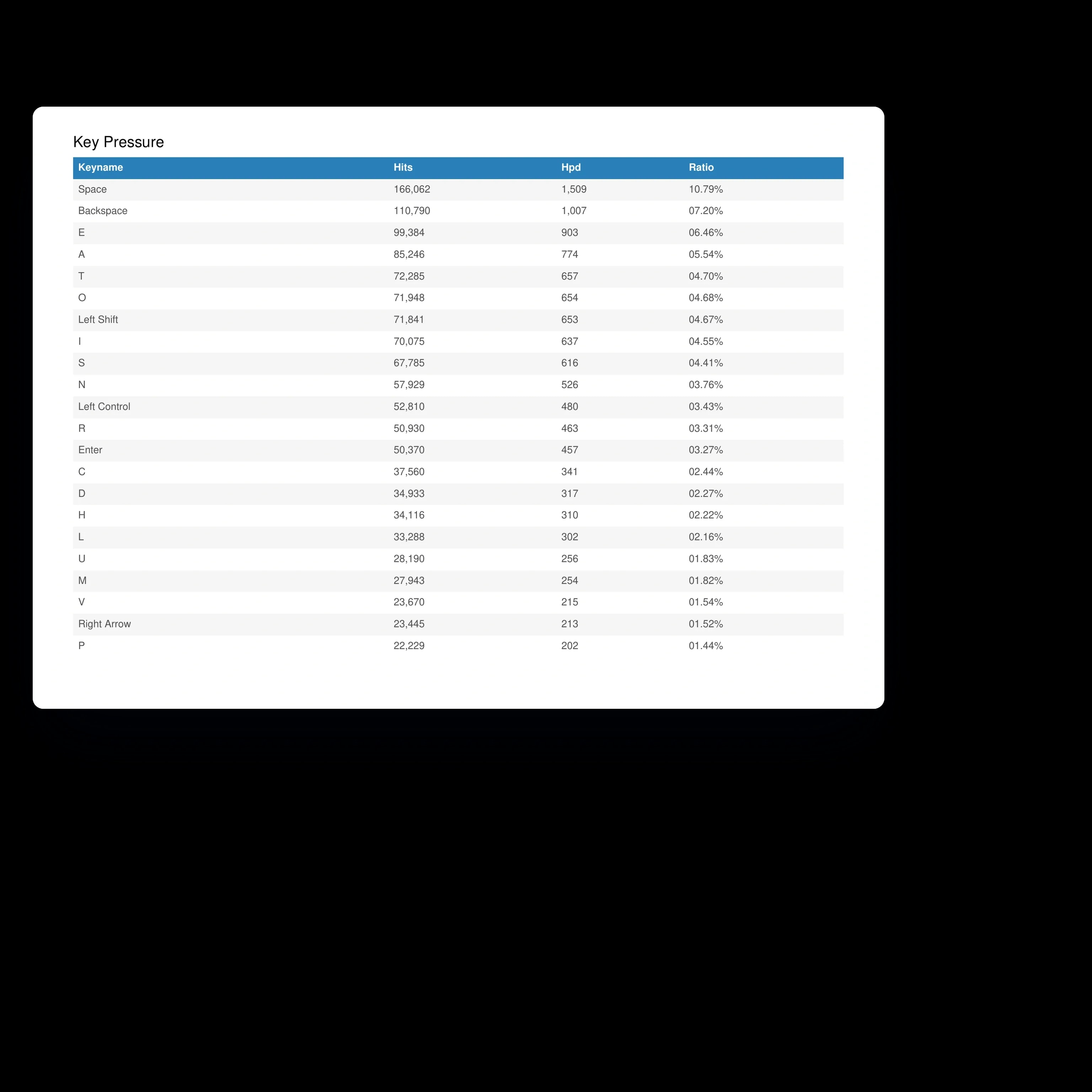
Any table downloads as a PDF, so a manager can share a clear summary without giving anyone access to the machine or the app. The report shown is a real one the app produced from its lifetime table, every key with its hits, hits per day and share of the total, so the figures on paper match the figures on screen.

A new machine without losing the history
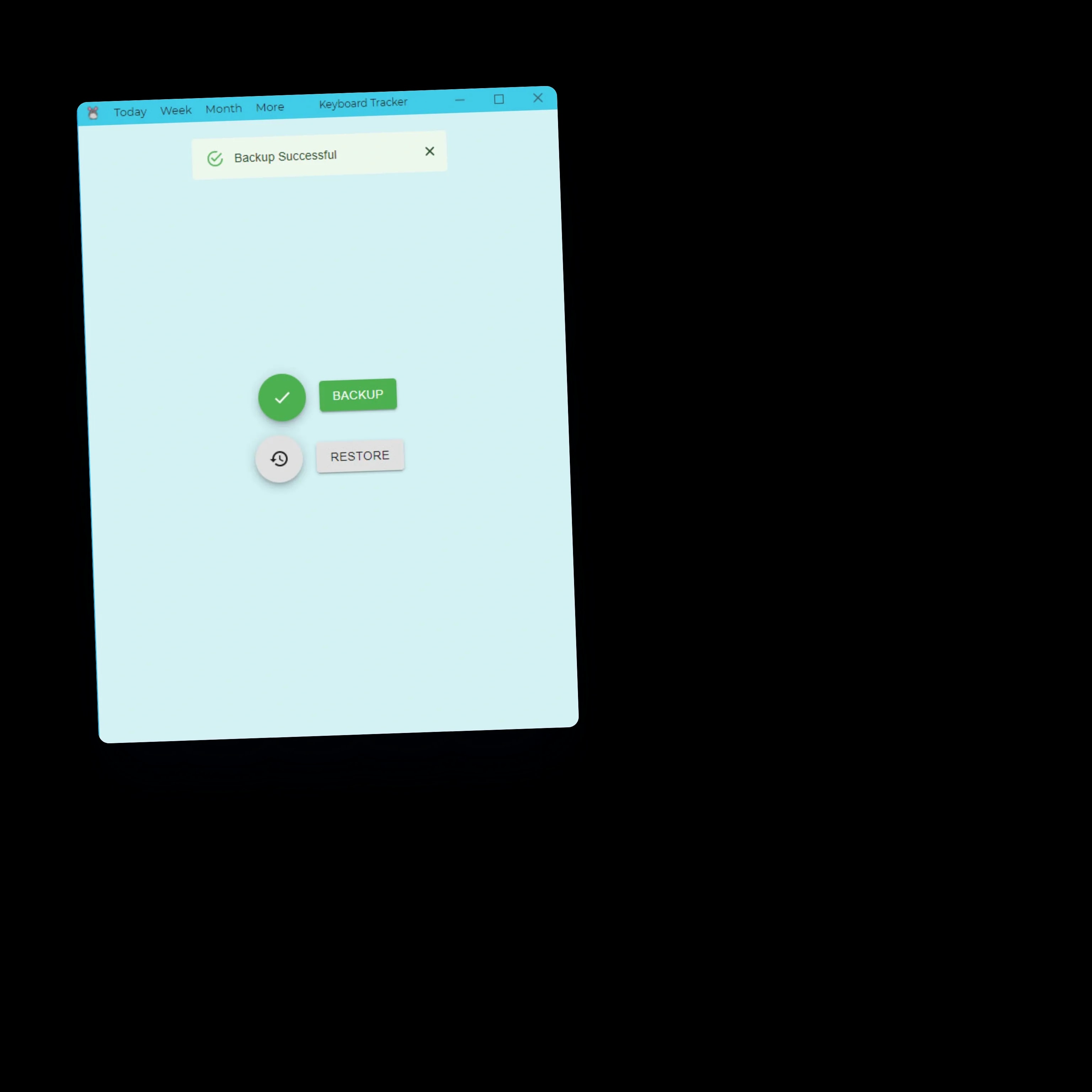
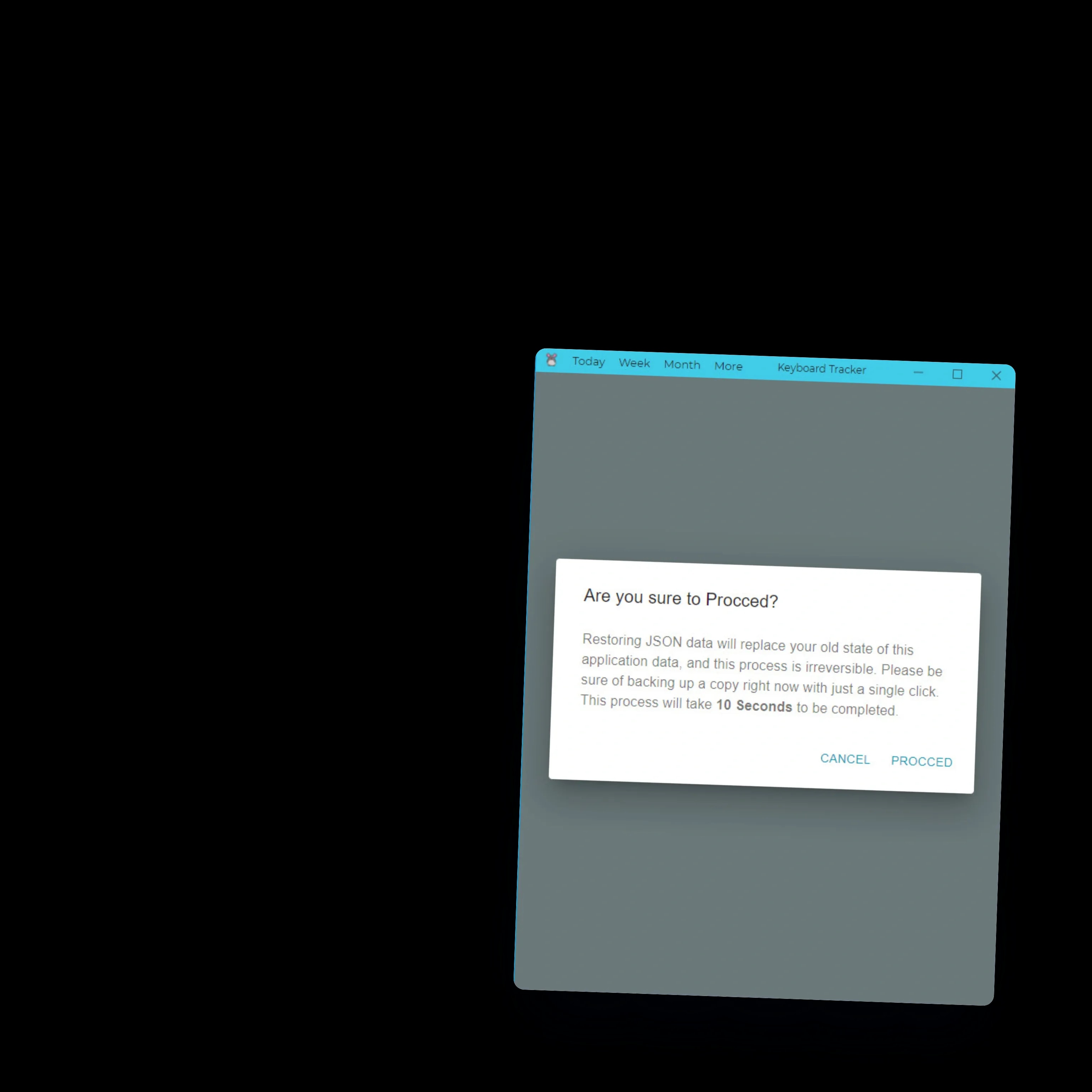
The whole history backs up to a single file and restores on a new computer or after a reinstall, with a clear warning before a restore replaces what is there. People change laptops, and the record of how they work goes with them.

One codebase, three operating systems, five weeks
Built with Electron, React, TypeScript and Redux, with Recharts for the visuals, the app ships to Linux, Windows and macOS from one codebase and was delivered in five weeks. Desktop is its own discipline, with its own packaging, permissions and performance limits, and the app respects all three.
In Ja Turna's words, the result was "a seamless, cross-platform solution that runs flawlessly on Windows, Linux, and MacOS", so one tool tracks quietly and reports clearly on whichever machine a person works at.
What they said

I had the pleasure of working with Monir on the development of the Keyboard Tracker desktop application. His expertise in Electron.js and full-stack development was evident throughout the project. Monir delivered a seamless, cross-platform solution that runs flawlessly on Windows, Linux, and MacOS. The app accurately tracks keypresses and mouse clicks, generates detailed reports, and presents analytics in an intuitive way, including PDF exports. His professionalism, clear communication, and problem-solving skills made the collaboration smooth and efficient. I highly recommend Monir for any complex software development project.
Sep 07, 2021
(5.0)
The blog is field notes from production: architecture decisions, AI systems that survived contact with real users, and infrastructure that pays for itself. Written from the work, not about it.