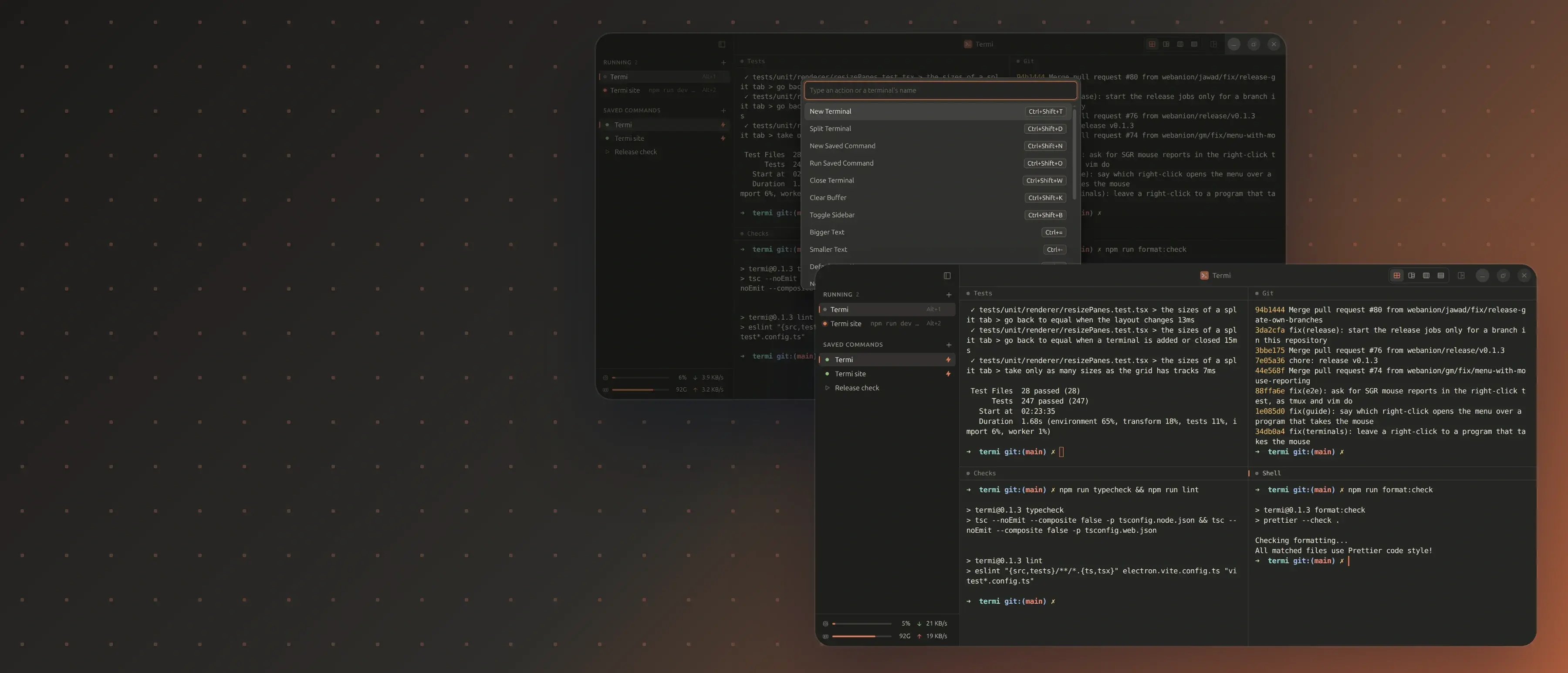

Termi, an Open Source Terminal App for macOS and Linux

An open source terminal app for macOS and Linux, released by Webanion under the MIT license: saved commands that open up to four terminals side by side in one tab, in a layout Termi remembers, and can start with the app; split, reopen, a command palette, a shortcut sheet, a built-in guide, and CPU, memory and network figures in the sidebar. Electron, React, TypeScript, xterm.js and node-pty, built with electron-vite and tested with Vitest, with an MCP server so an assistant can manage the saved commands. Source at github.com/webanion/termi.


Md Moniruzzaman, Jawad Ahbab
The Full Story
One saved command, four terminals, the layout remembered, and the whole grid back at launch.
The same eight windows every morning
A developer on one project starts the same processes every working day: a dev server, a test watcher, a shell for git, another for whatever comes up. A terminal app opens them one at a time, each in the right folder, then the windows get arranged by hand, and after a restart the whole routine runs again. The commands never change. The minutes spent retyping them do not change either.
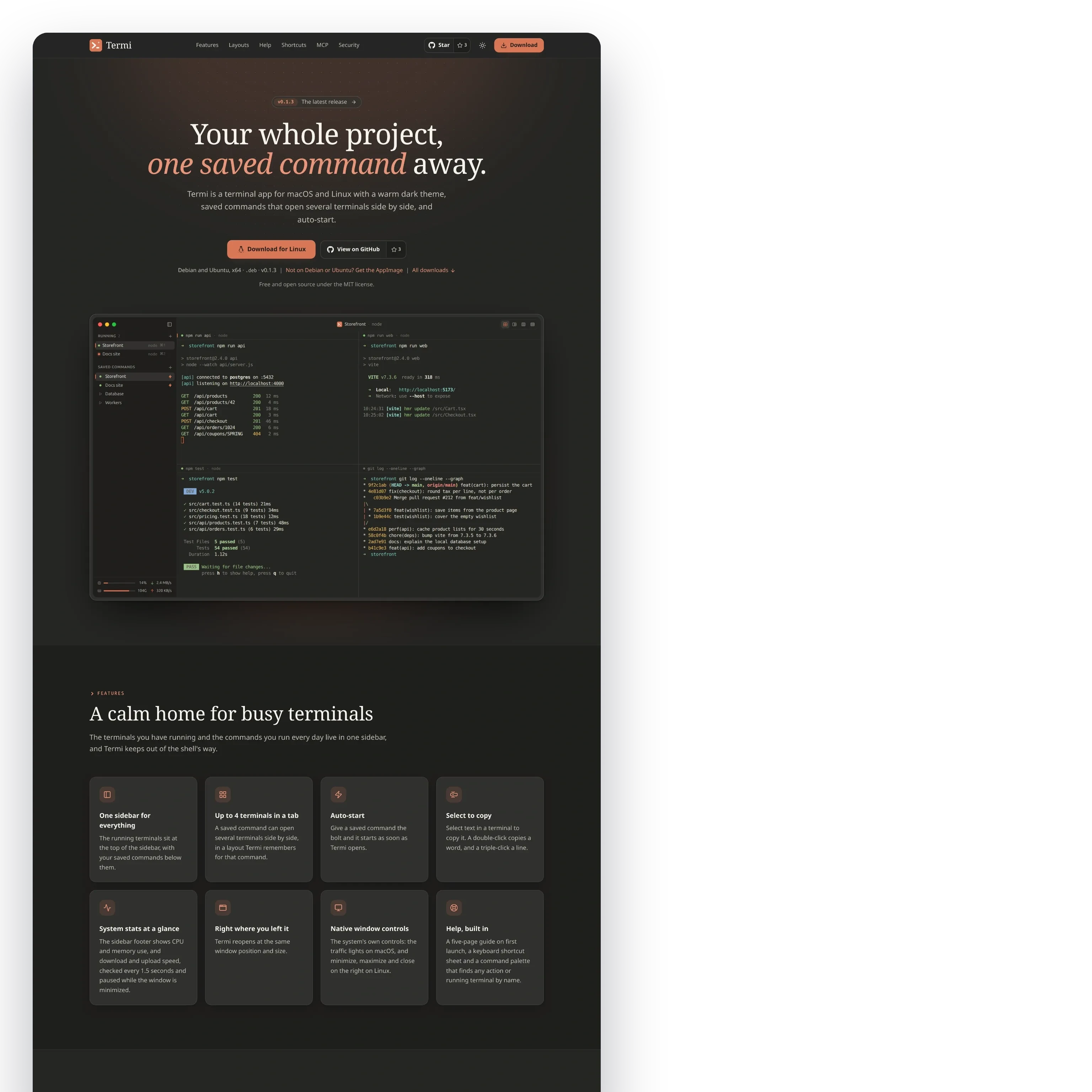
Termi is an open source terminal app for macOS and Linux, released by Webanion under the MIT license. A saved command holds up to four terminals, the folder they run in and the layout they sit in, opens all of them in one tab with a click, and can start them the moment Termi opens. The rest of the app keeps out of the shell's way: split, reopen, a command palette, a shortcut sheet, a built-in guide, and the machine's CPU, memory and network figures at the bottom of the sidebar.
One saved command, four terminals
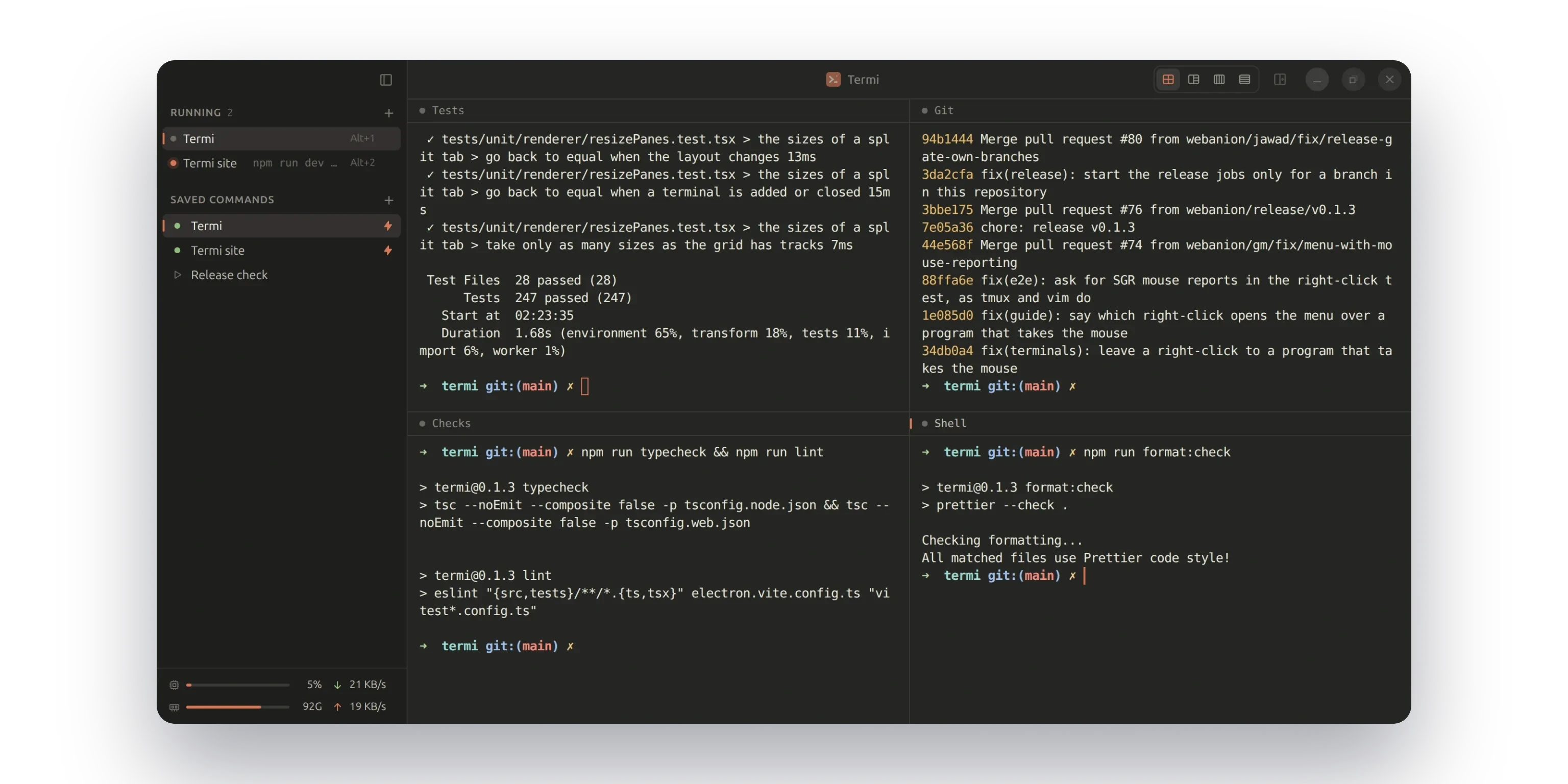
The saved command named Termi opens the project's four terminals in one tab: the unit tests in watch mode, the git log, the type and lint checks, and a plain shell, all in the project's folder. Each terminal shows a title in its header instead of the raw command, the running tabs sit at the top of the sidebar with their shortcuts, and the saved commands sit below with a bolt on the ones that start at launch.

A layout Termi remembers
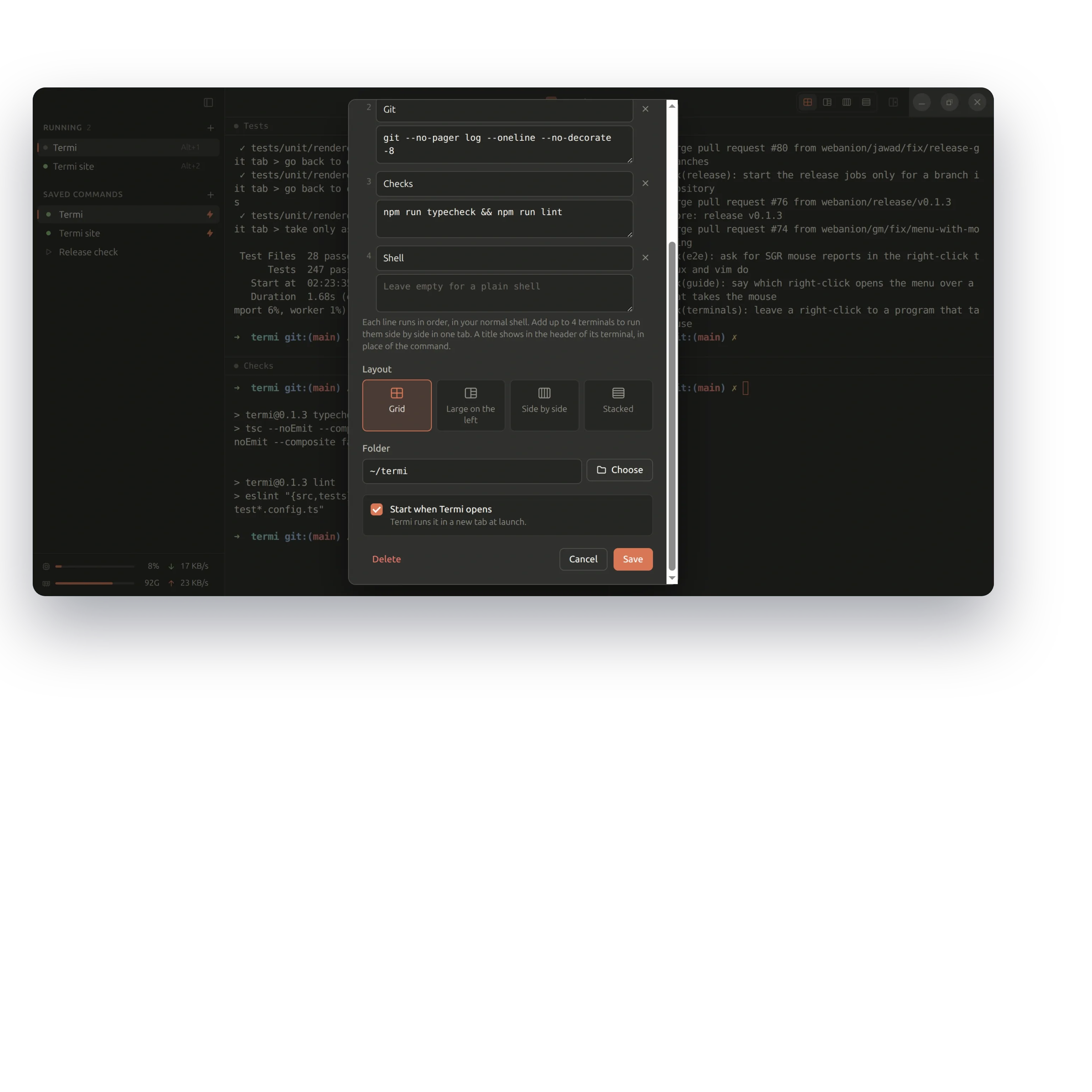
A tab with two, three or four terminals can be a grid, side by side, stacked, large on the left or large on top. The layout is chosen in the saved command dialog or from the control on the right of the header, and Termi keeps it for that command, so the tab comes back exactly as it was left. The dialog holds everything else the command needs: a name, up to four commands with optional titles, the folder, and whether it starts when Termi opens. The line between two terminals drags to resize them, and a double-click makes them equal again.


Split, reopen, and an eye on the machine
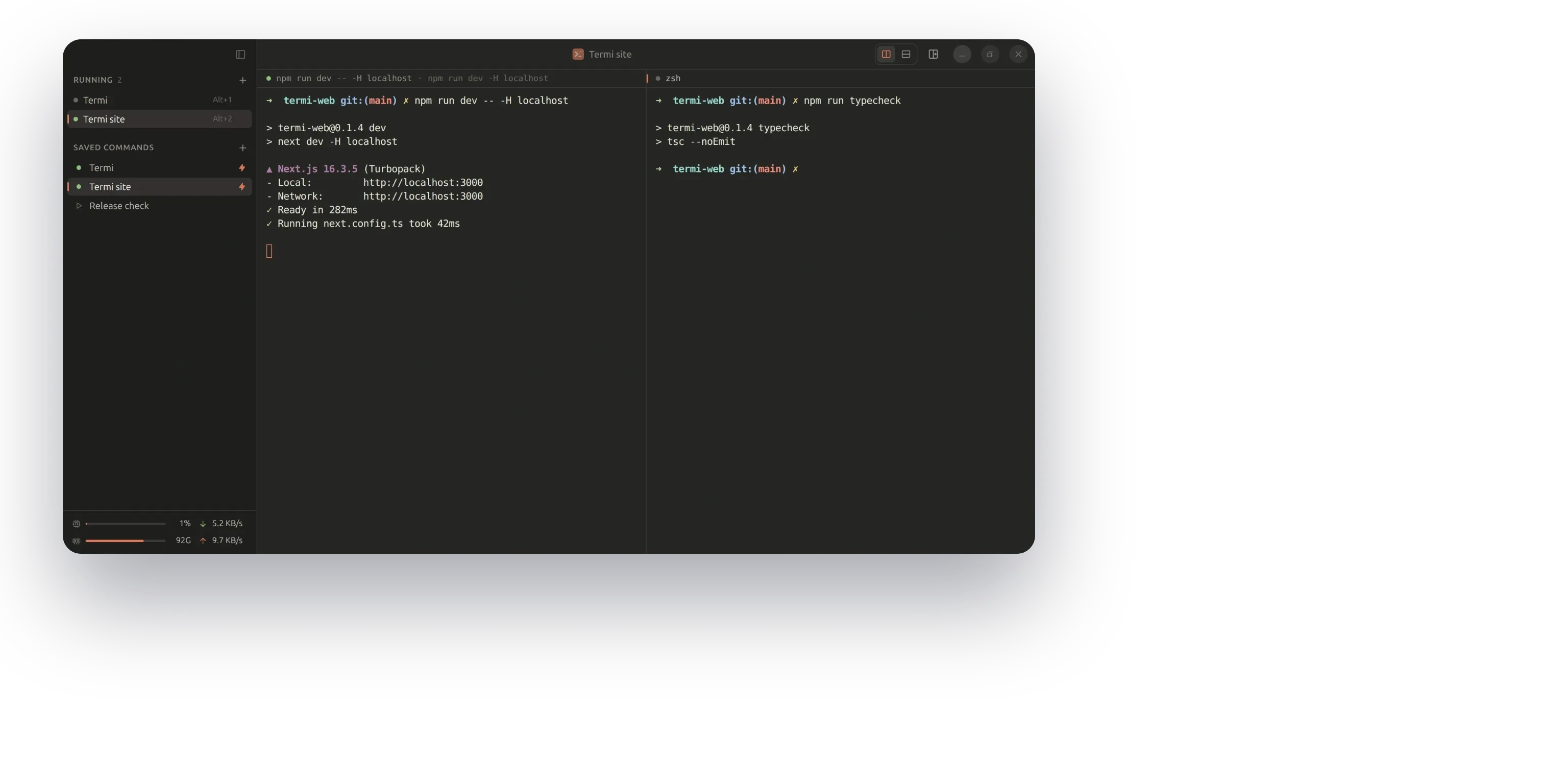
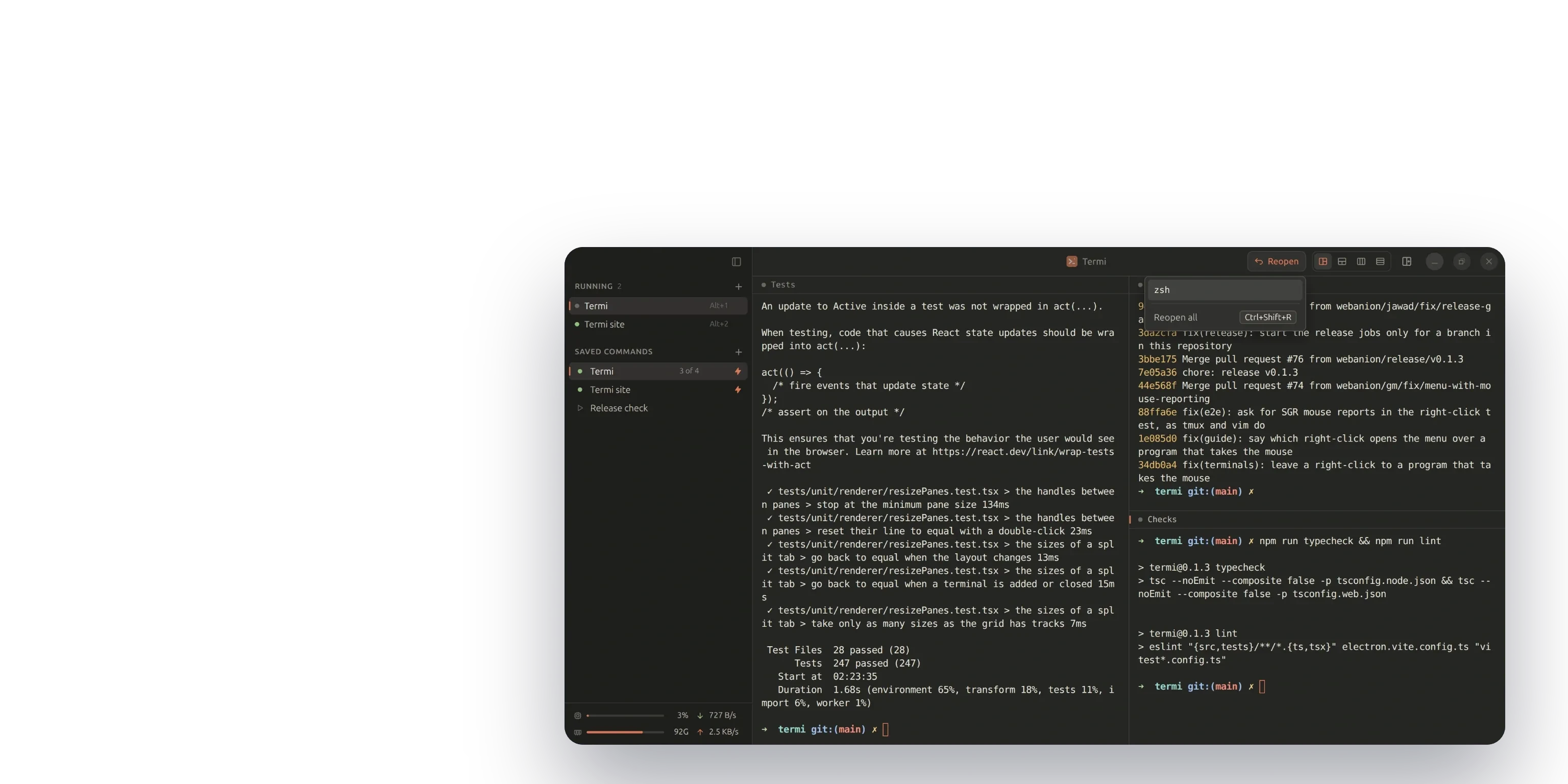
Any tab splits into up to four terminals from the header or the keyboard, the new shell starting in the tab's folder; here the product site's dev server and a typecheck share one tab. Close one terminal of a saved command and Reopen appears in the header, listing what closed and putting it back in its old place, while the sidebar counts 3 of 4. The footer reads CPU, memory, download and upload every 1.5 seconds.
Everything from the keyboard
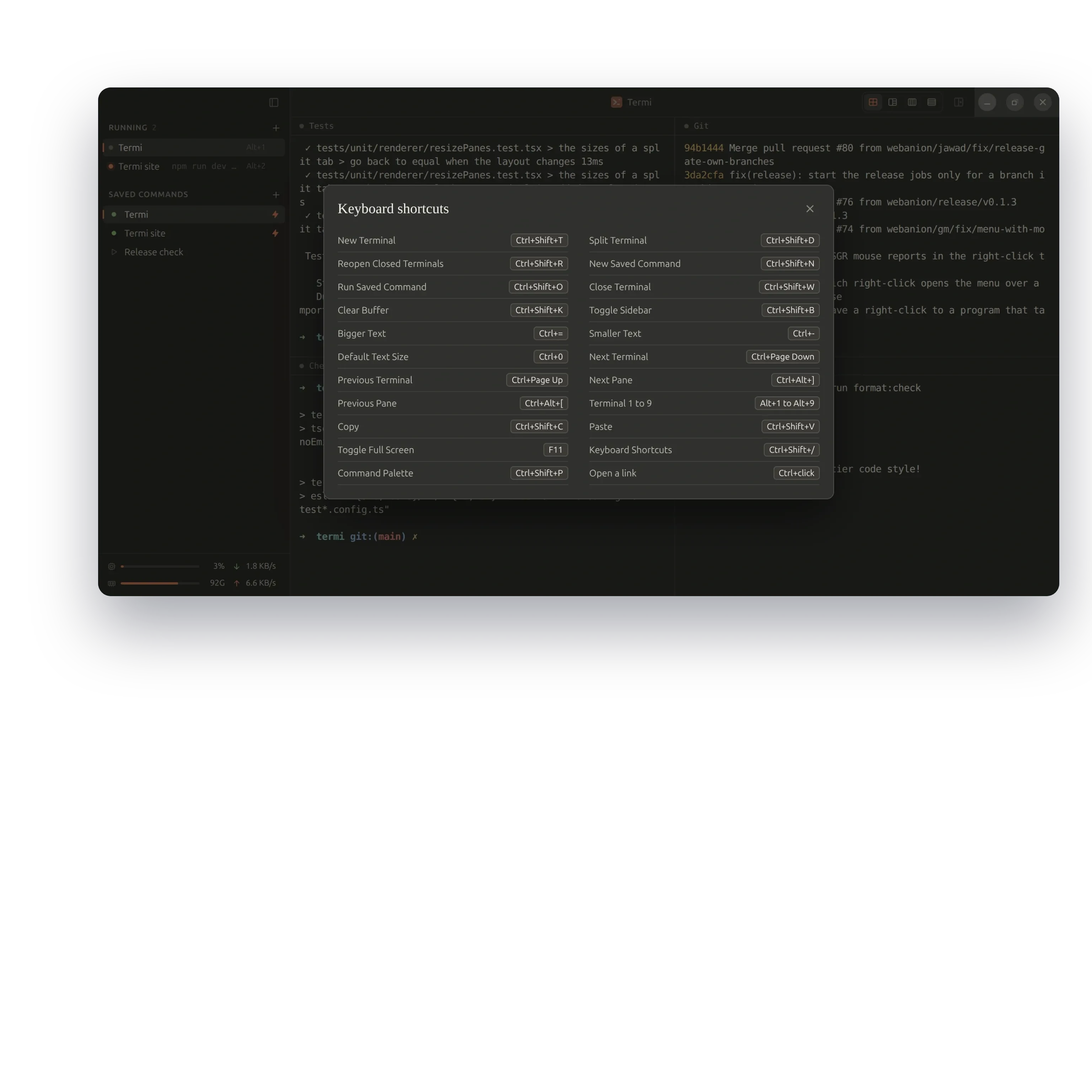
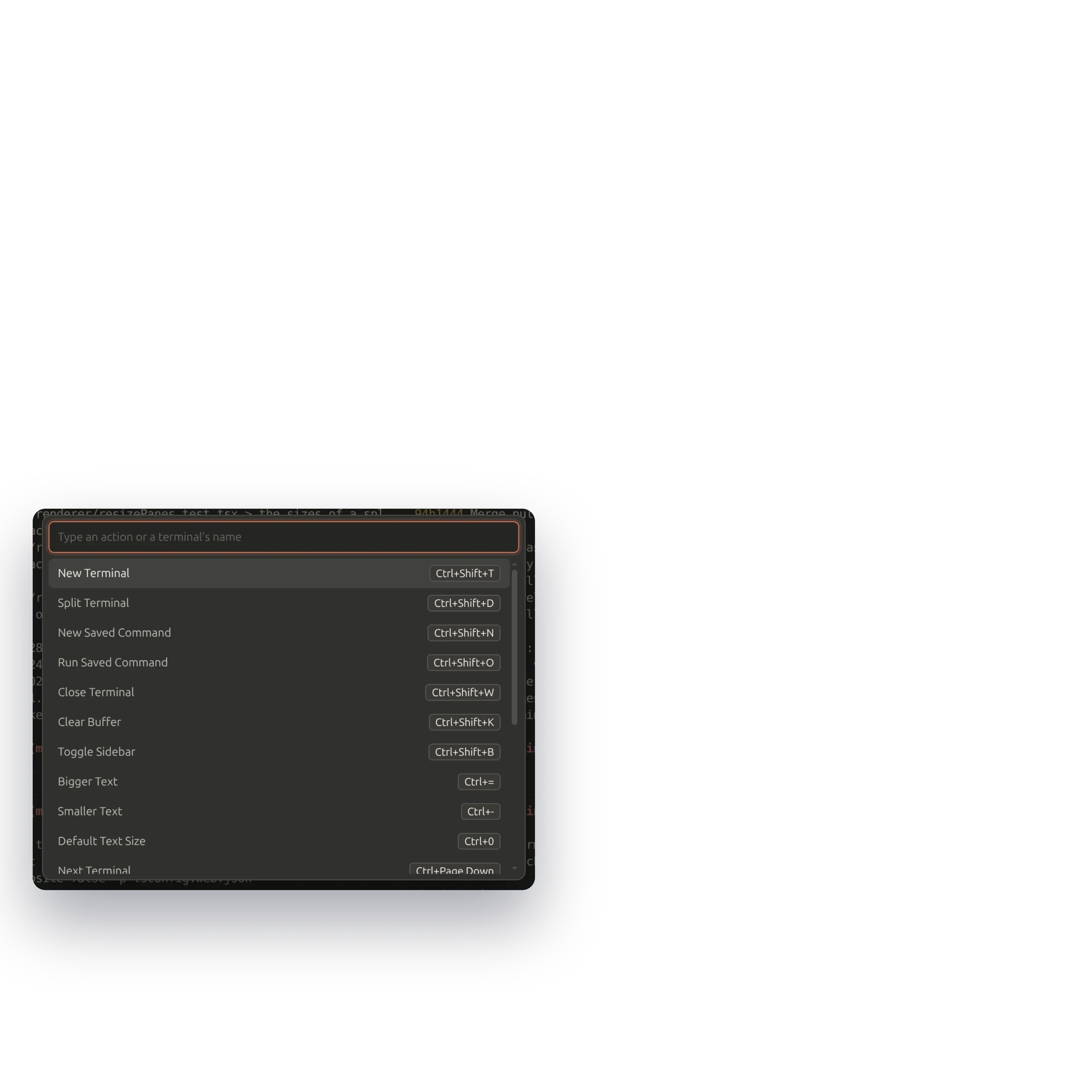
A command palette finds any action or running terminal by name and shows its keys beside it, and a shortcut sheet lists every shortcut on one page. The keys differ by system on purpose: on macOS the Command key does the work, and on Linux a plain Ctrl with a letter always reaches the shell, so Ctrl+C still interrupts and Ctrl+B stays the tmux prefix, while Termi's own shortcuts use Ctrl+Shift with a letter, Alt with a number for the tabs, and Ctrl+Page Up and Page Down to move between them. A saved command runs from the keyboard too: type part of its name and press Enter, and if it is already running Termi goes to its tab.

Help that ships with the app
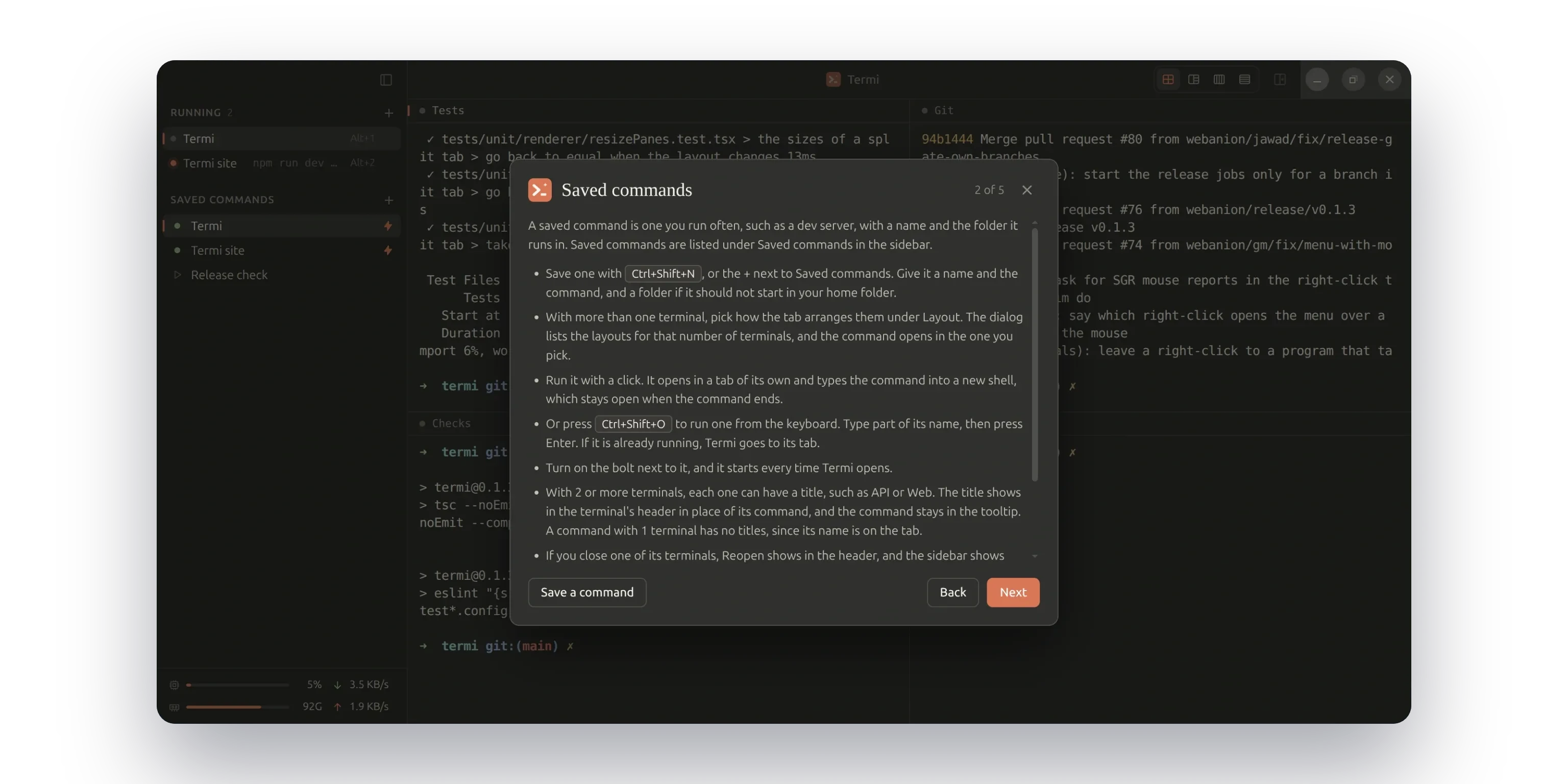
A five-page guide opens on the first launch and again from the Help menu, one page per part of the app: terminals and tabs, saved commands, split terminals, copying and the stats, and the MCP server. Help, Report an Issue opens a bug report with the Termi version, the system and the shell already filled in, for the person to read and submit. Termi sends nothing itself: no telemetry, no analytics, no update check.

One page for the downloads
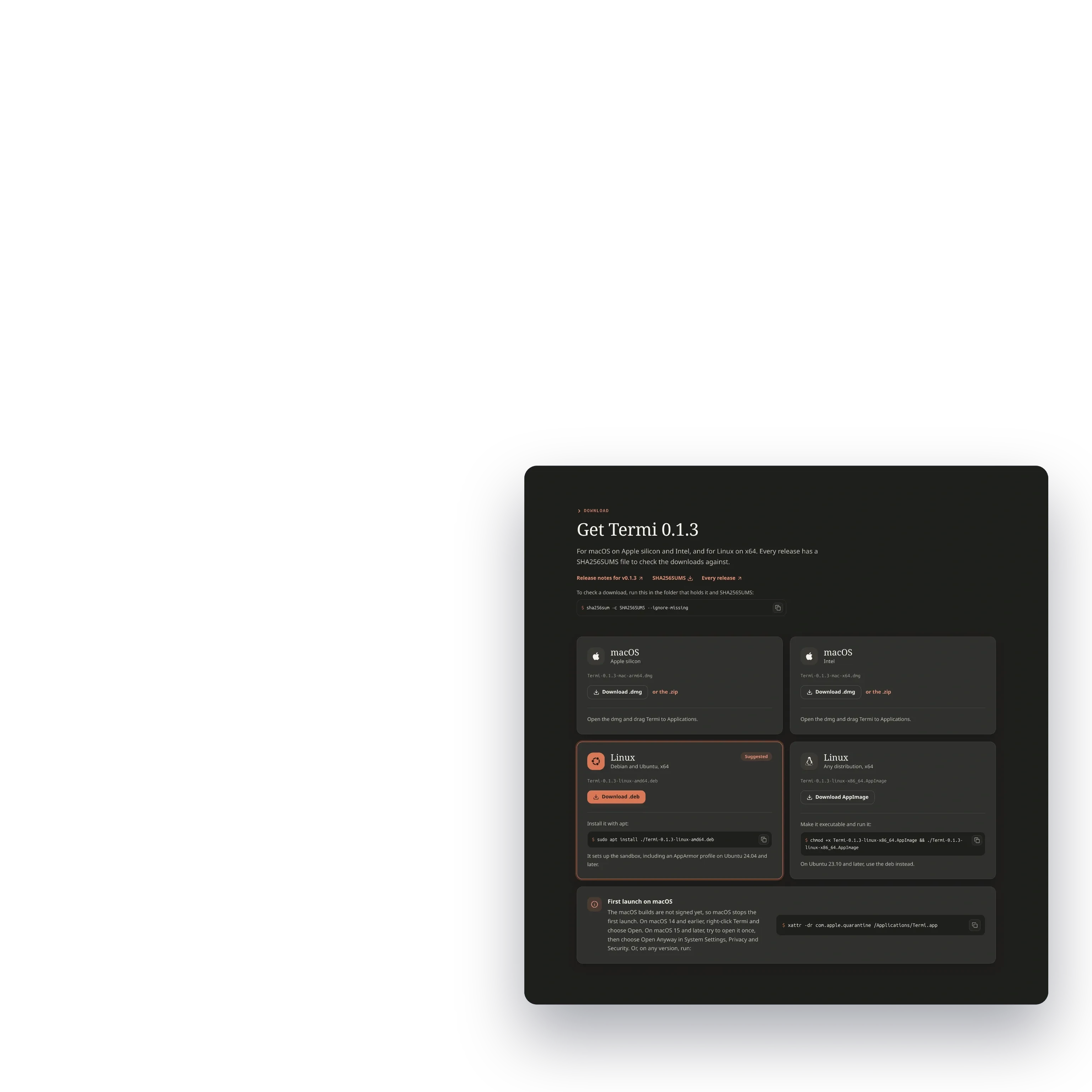
termi.webanion.com carries the downloads, the features, the layouts and the shortcuts on one page, and offers the build for the visitor's own system first: a dmg for Apple silicon and Intel Macs, a deb for Debian and Ubuntu, and an AppImage for other Linux distributions, each release with a SHA256SUMS file to check against. Releases are made by a GitHub Actions workflow, never by hand: it opens a pull request with the version bump and a changelog written from the commits, and merging it builds the macOS and Linux packages, tags the version and publishes the release with its contributors.
Open source, from Webanion
Termi was initiated by Jawad Ahbab, and later refactored and released by Webanion as an open source product under the MIT license. Webanion's release work gave it the electron-vite build, the TypeScript, ESLint and Prettier checks, Vitest unit tests, integration tests against real shells, a smoke run of the built app on Linux and macOS in CI for every pull request, and the workflow that builds and publishes every release.
Under the window, Electron hosts a sandboxed React page that reaches the shells only through a checked IPC contract, xterm.js draws the terminals and node-pty runs them, and the settings live in one JSON file with a version number and migrations, so an older build never destroys a newer one's settings. An MCP server ships in the same build, so an assistant such as Claude Code can list, add and edit the saved commands, with the caveat the guide states: a saved command runs at a click or at launch, so those two tools belong on manual approval. The source, the issues and the good first issues are at github.com/webanion/termi.
You May Also Like

Keyboard Tracker - Desktop Activity Charts and Reports
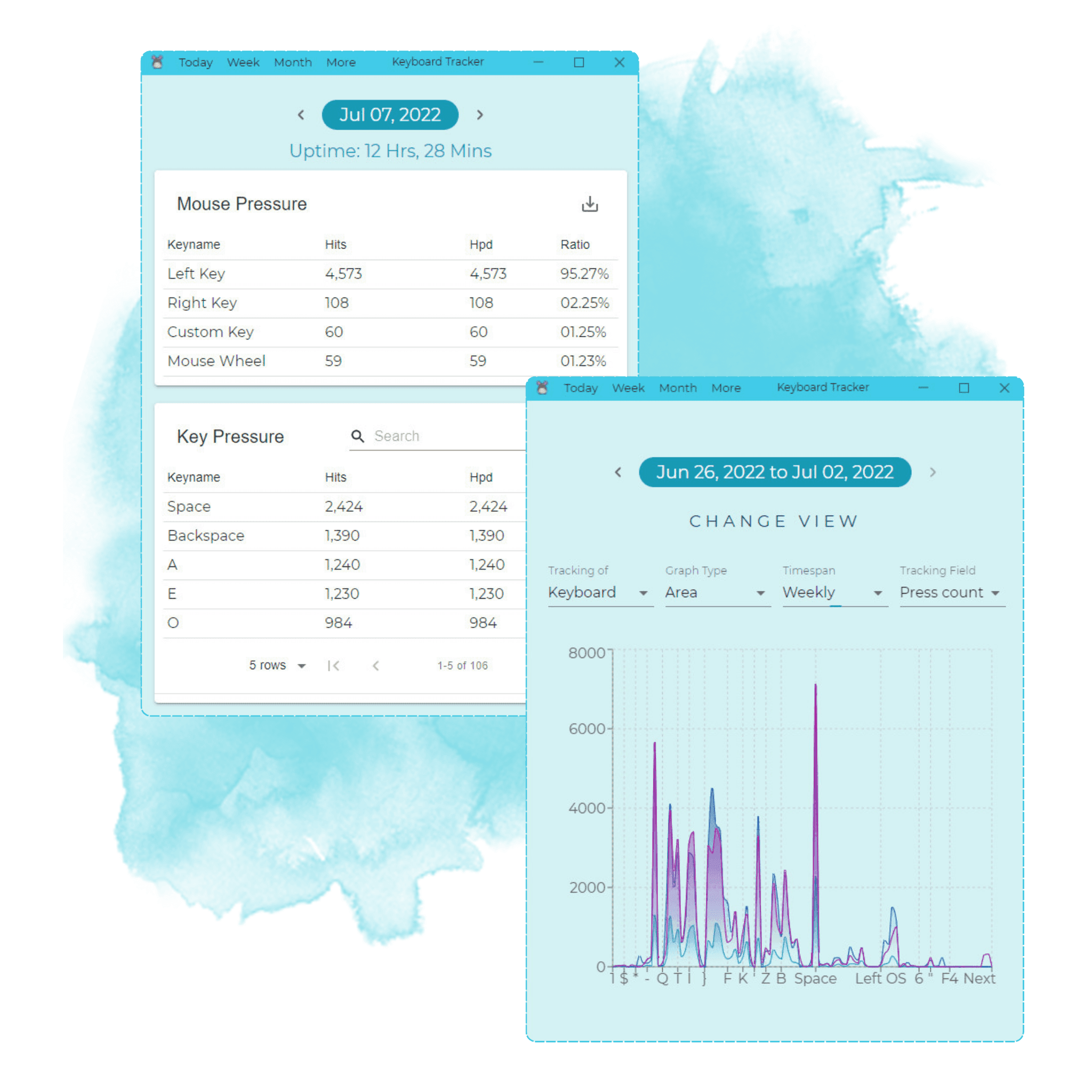
A quiet desktop app for Linux, Windows and macOS that counts keyboard and mouse use, charts it and exports reports, built for Ja Turna in five weeks. It counts presses without recording what anyone types, charts a day or a lifetime and stays smooth over months of data, downloads any table as a PDF a manager can share, and backs up its whole history to one file for a new machine. Electron, React, TypeScript and Redux from one codebase.

Md Moniruzzaman
Sep 07, 2021

The blog is field notes from production: architecture decisions, AI systems that survived contact with real users, and infrastructure that pays for itself. Written from the work, not about it.